User Guide Contents
Visits Calendar
Schedule visits directly within OpenEvidence to organize encounters, prepare pre-charting information, and plan your day efficiently.
Scheduling a visit
Watch it in action
Navigate to the Visits Home page from the sidebar. The Calendar tab is open by default.
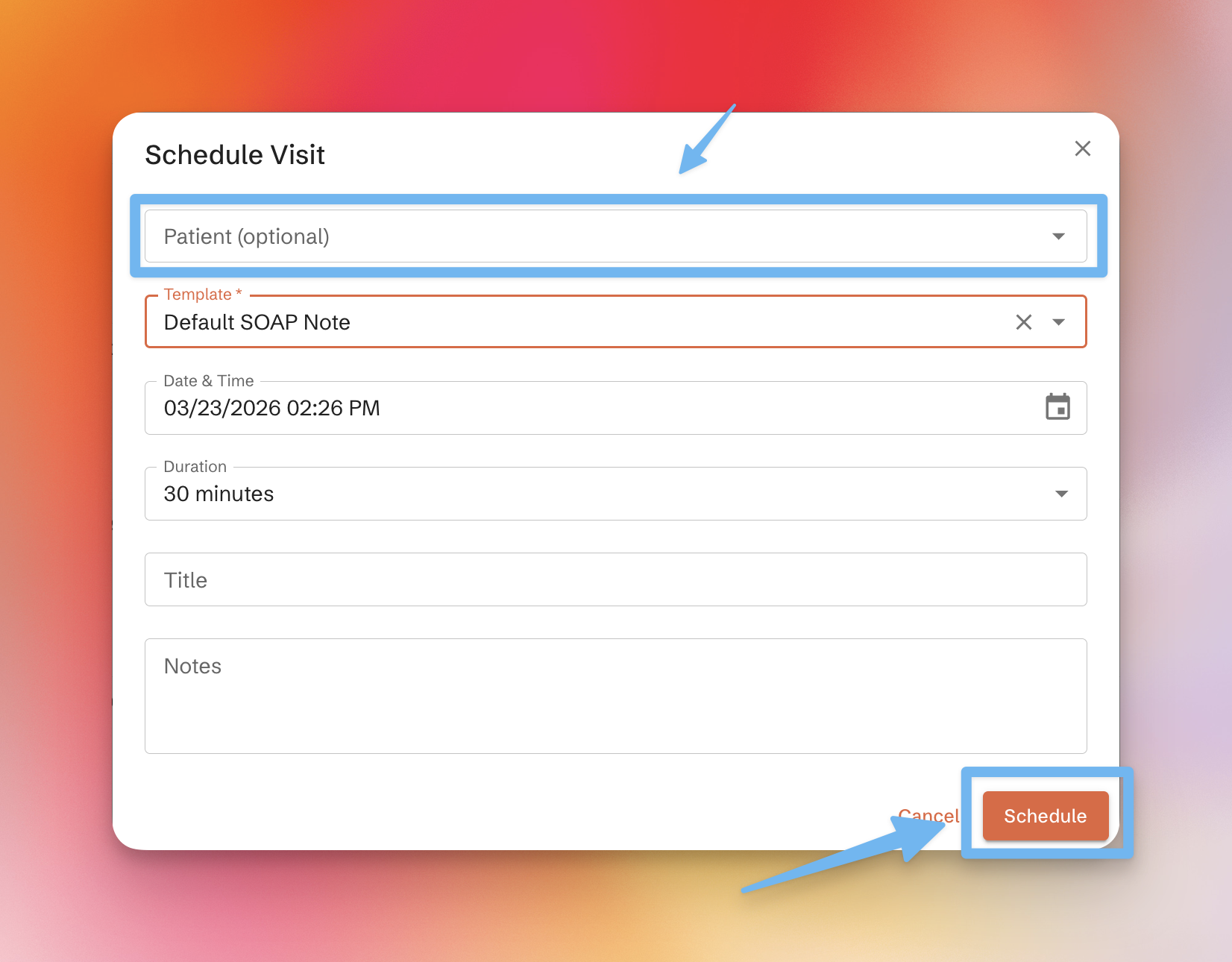
Click "Schedule Visit" to open a modal where you can:
- Enter patient information
- Select a template for the visit
- Add a title and description
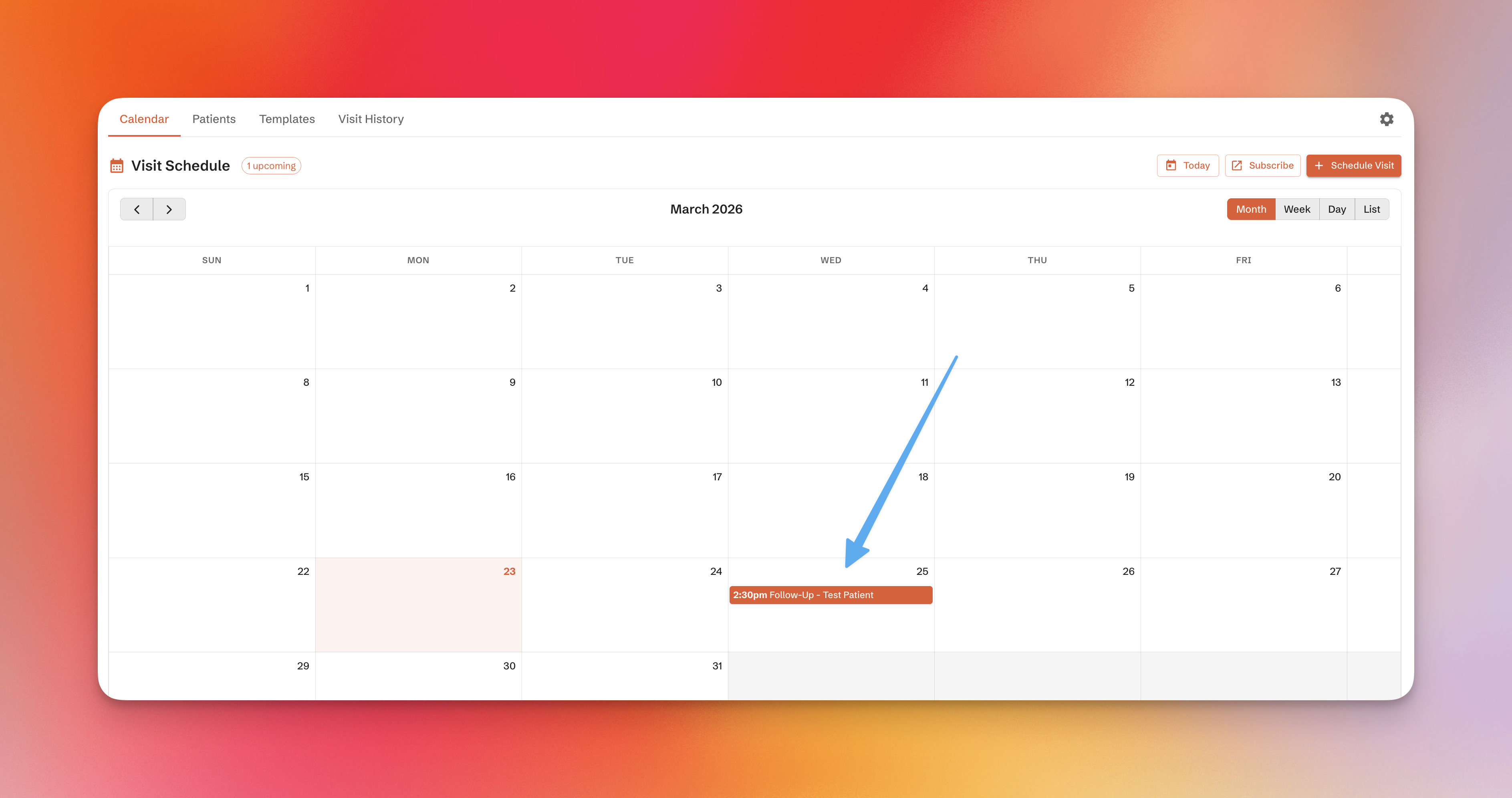
After submitting, the visit will appear on your calendar.
Syncing with external calendars
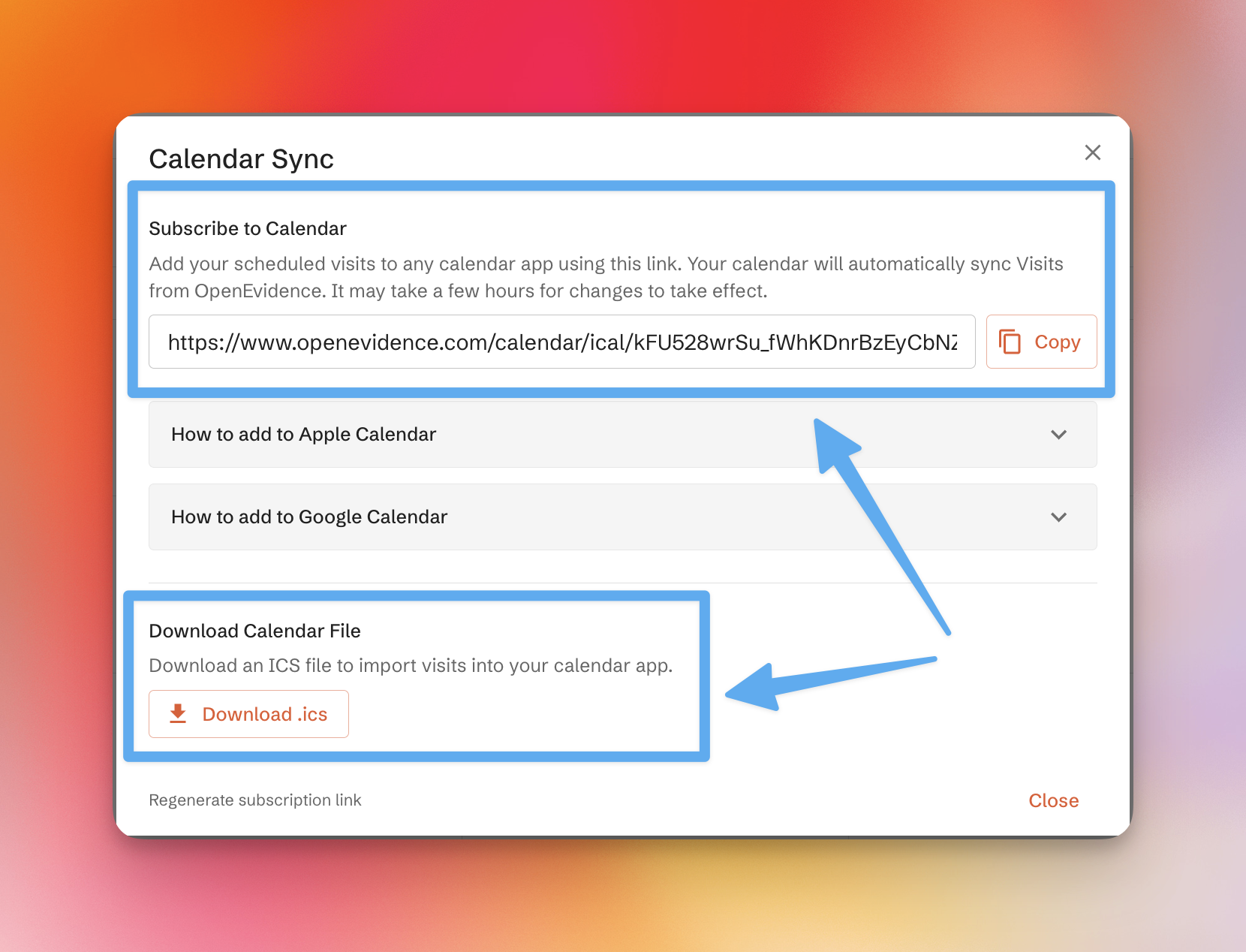
Click "Subscribe" to access a personalized subscription link, along with instructions for adding it to Apple Calendar or Google Calendar. Alternatively, download an .ics file to import into your desktop calendar.
In the app
Mobile
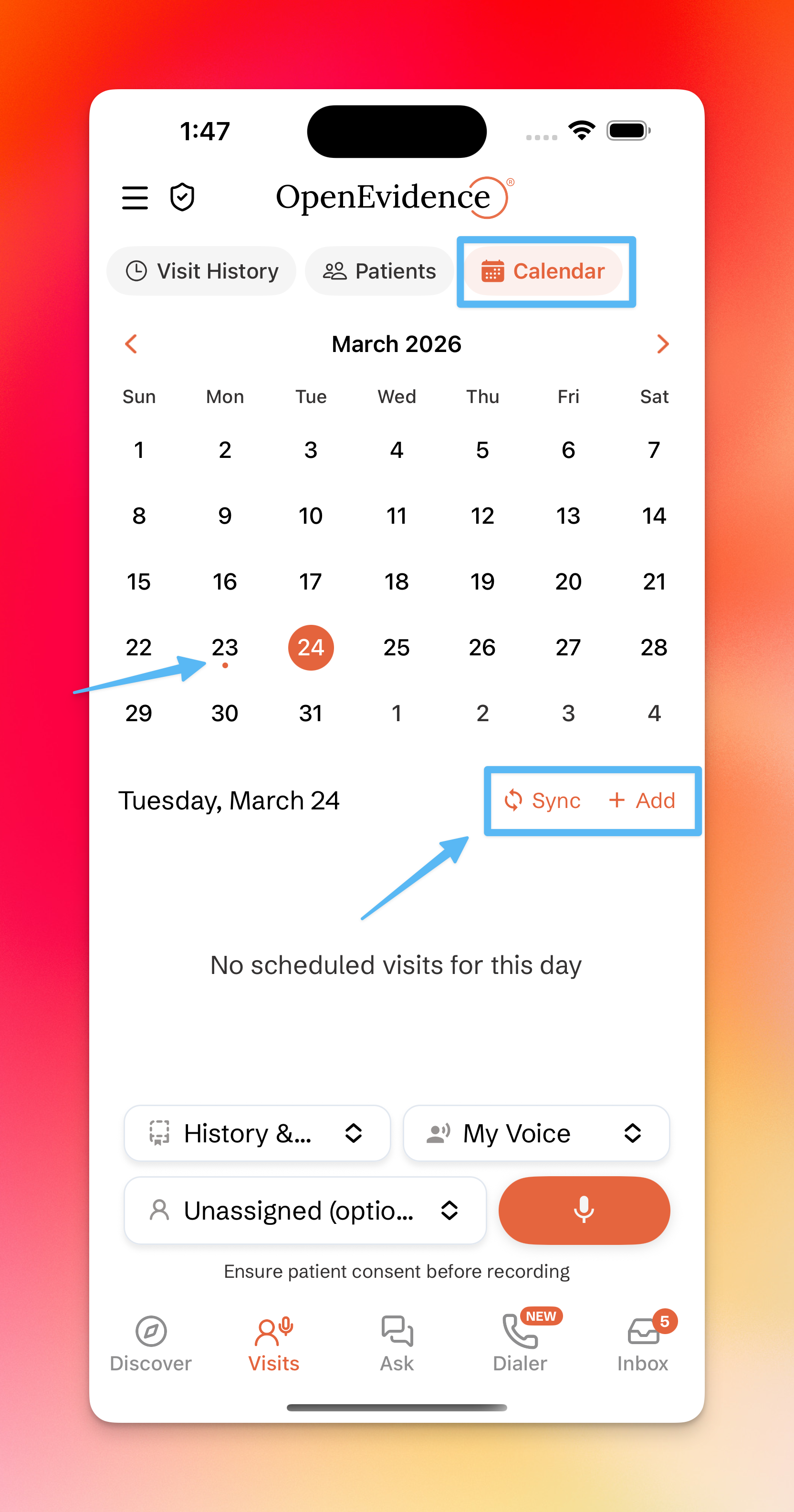
Access the calendar by tapping the Calendar icon in the Visits tab. Use "Add" to schedule a visit and "Sync" to access subscription options.