User Guide Contents
Starting a Visit
Record, transcribe, and generate clinical notes — in real time, on web or mobile.
On the web
Start a visit by clicking "New Visit" from the Visits Home page, a patient page, or the sidebar.
Before starting, you can configure:
- Template
- Voice
- After Visit Summary template
- Input device
- Telehealth mode
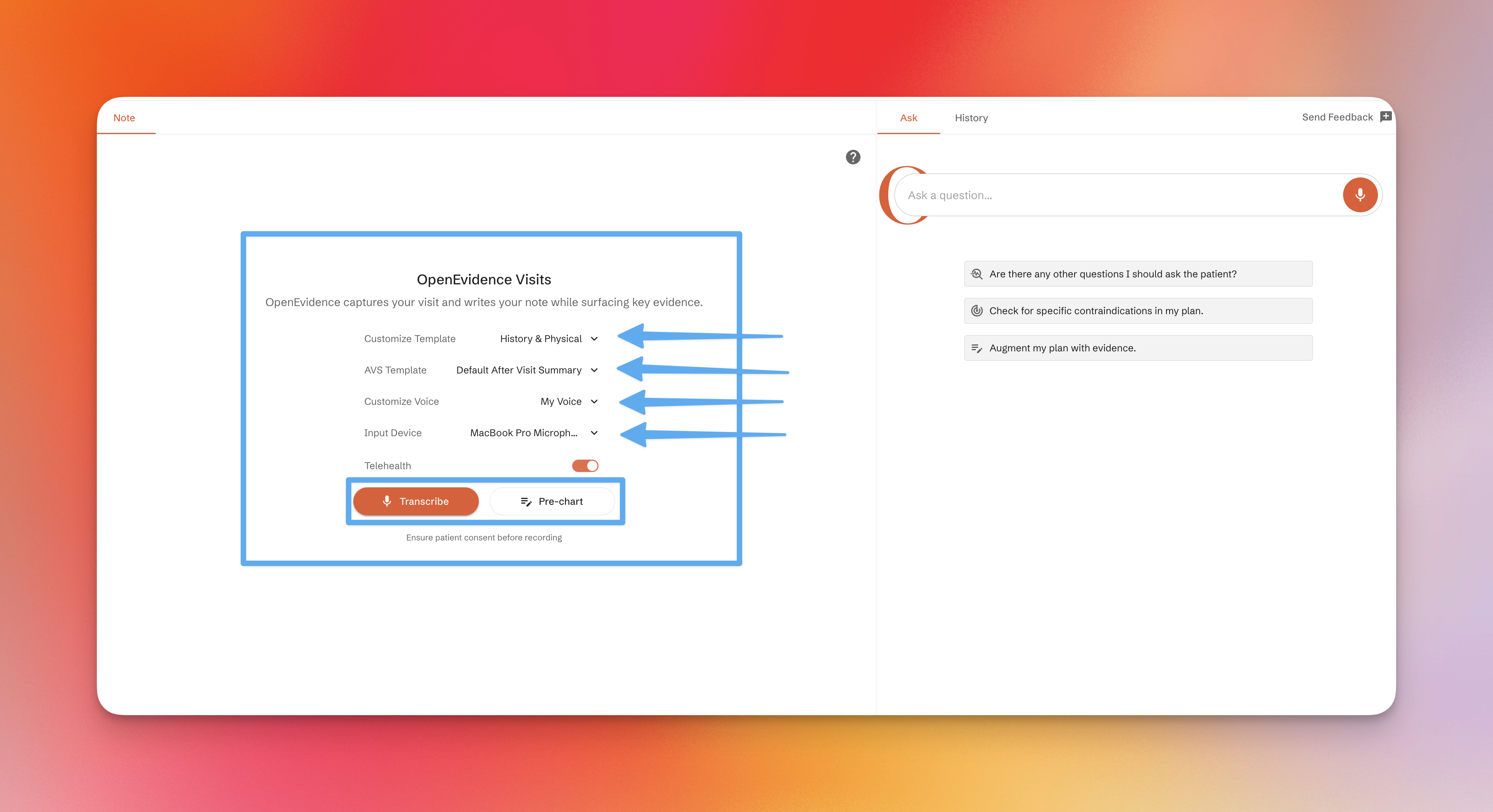
Note: Input device and telehealth settings are only available in supported browsers such as Chrome.
Telehealth mode enables recording both microphone input and system audio (e.g., from a video call). Alternatively, you can use the mobile app to record telehealth visits while playing audio through your computer.
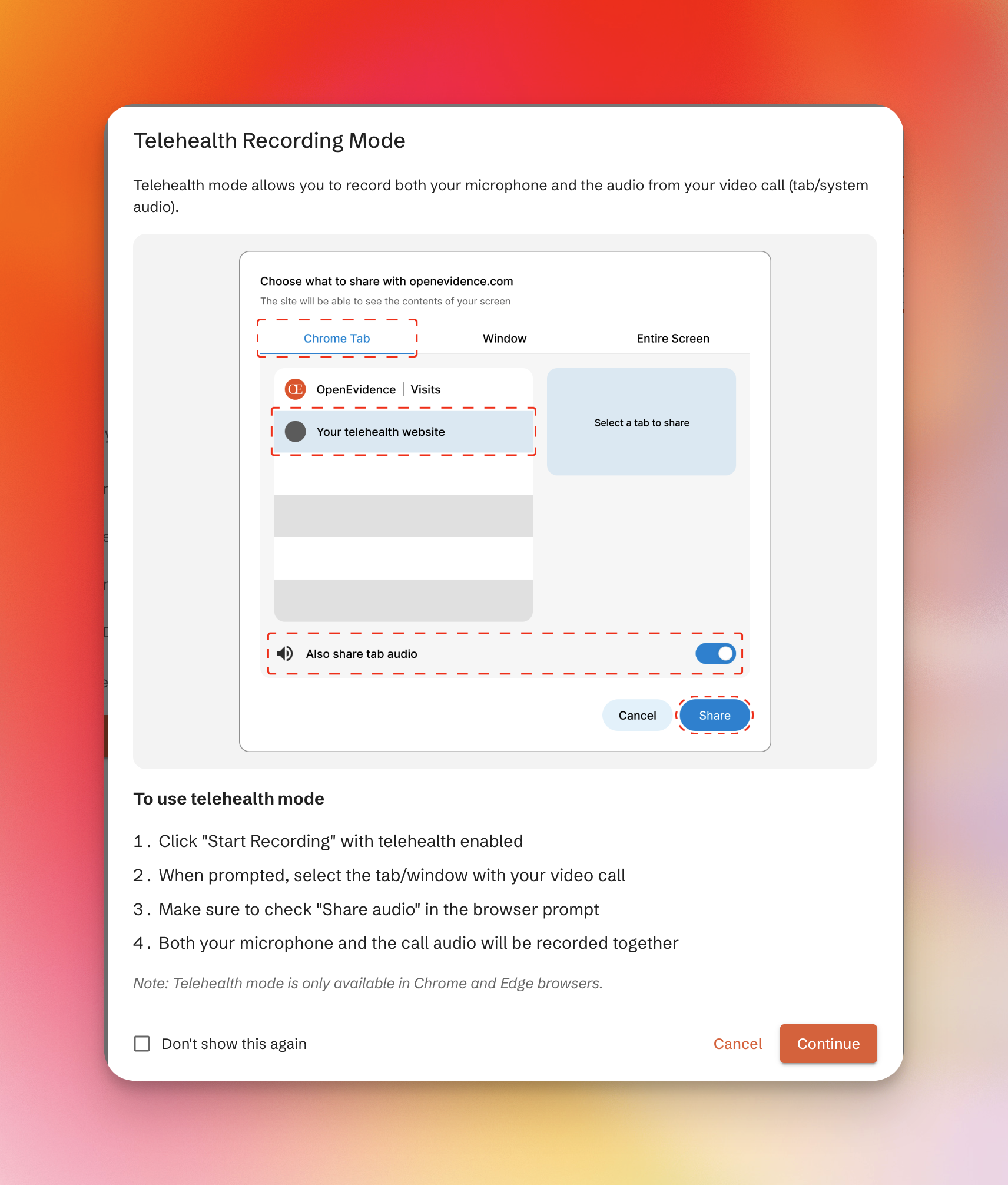
You can then:
- Click "Transcribe" to begin recording immediately
- Click "Pre-chart" to start typing notes manually
During recording
Audio is processed in real time and displayed as running notes. You can pause and resume at any time.
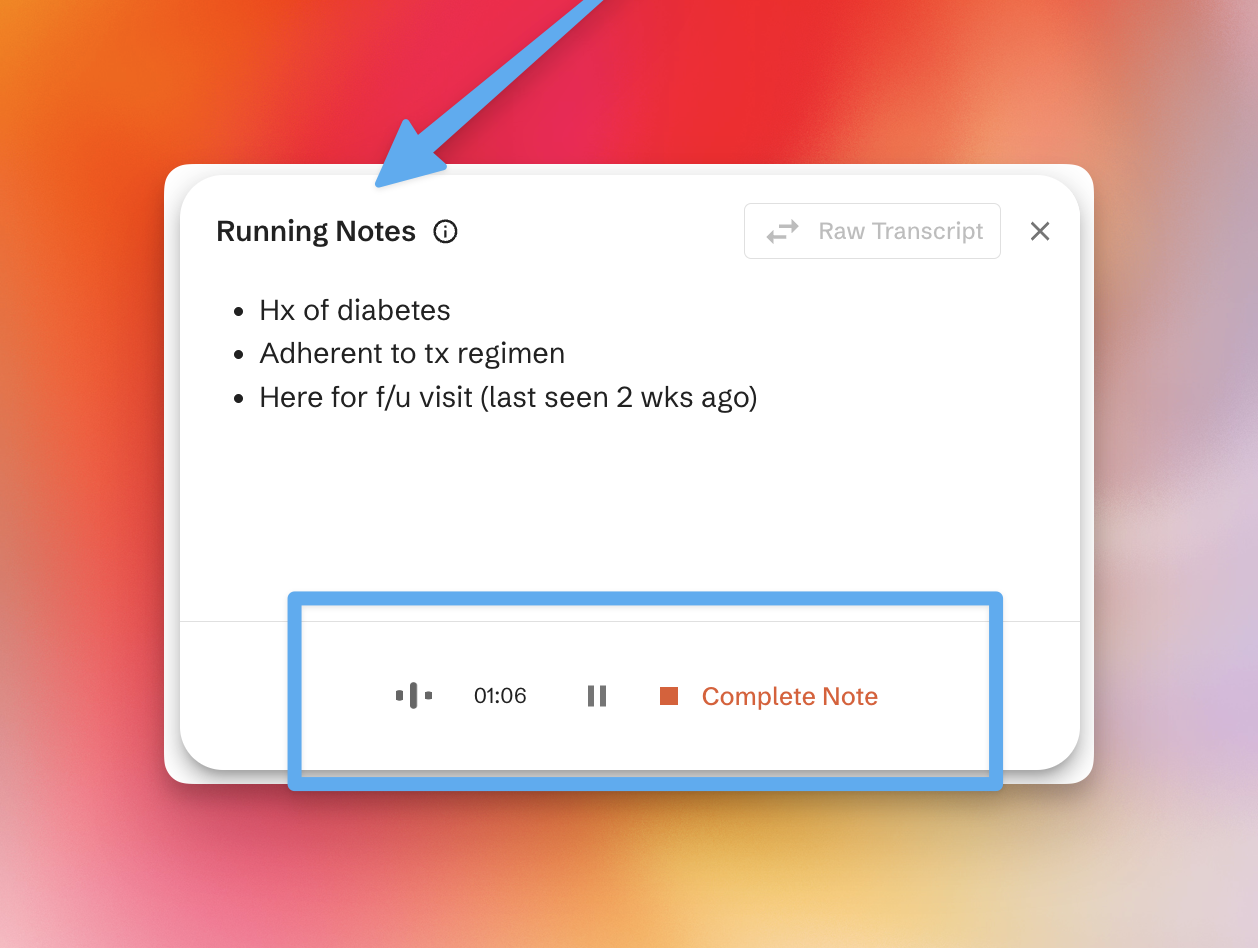
Completing the note
When finished, click "Complete Note" to generate the final note.
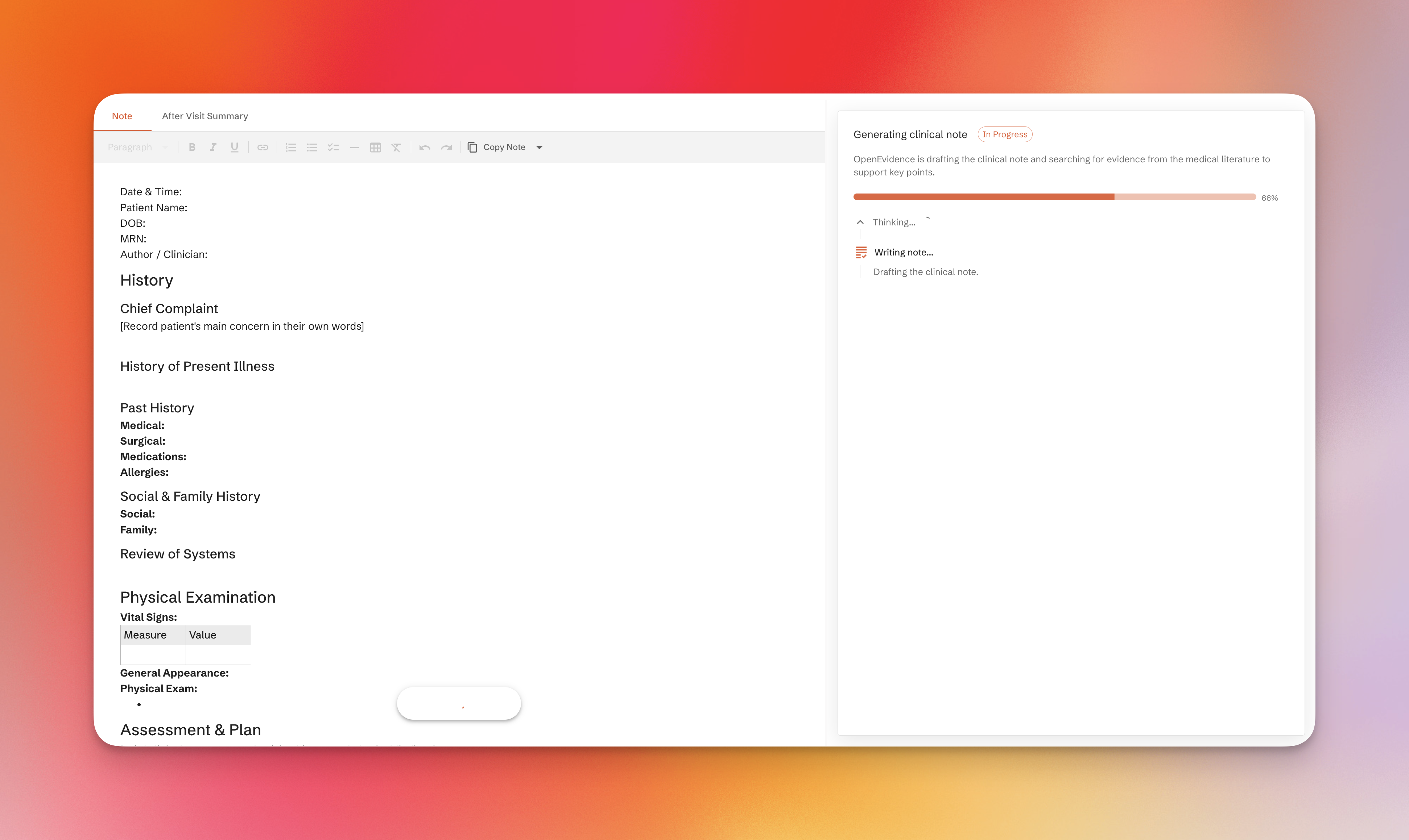
Afterward, you can:
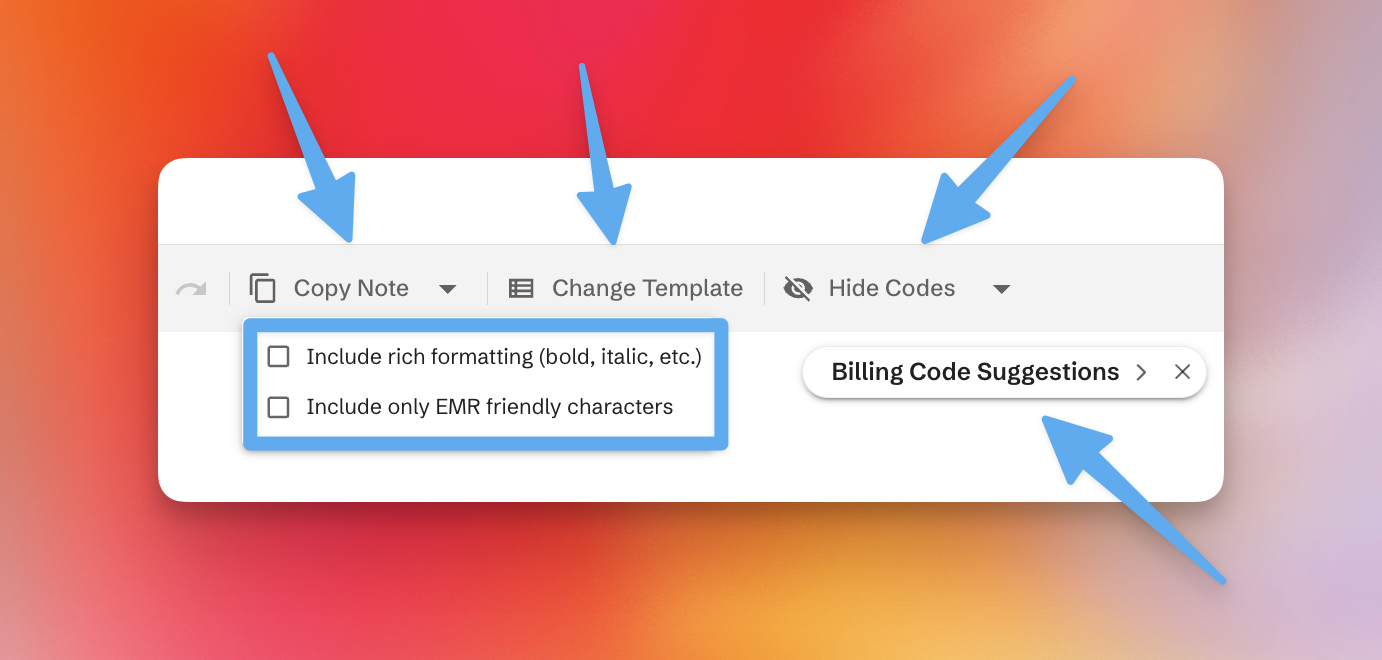
- Copy the note (rich or plain text, with or without citations)
- Switch templates and regenerate
In the app
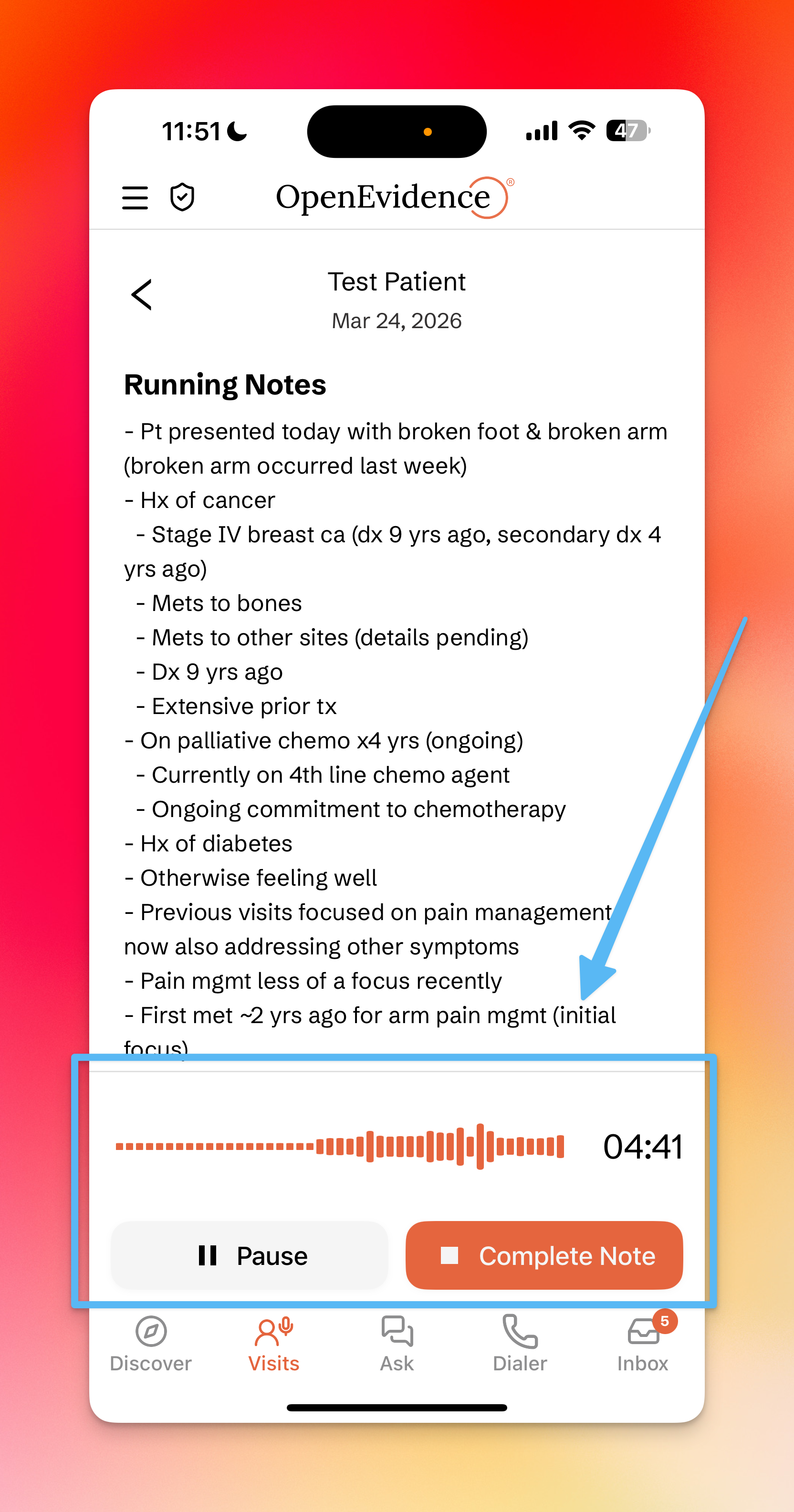
Starting a visit on the app follows a similar flow. You can select a template, voice, and patient. Running notes are displayed as audio is processed. Tap "Complete Note" to generate and view the final note.
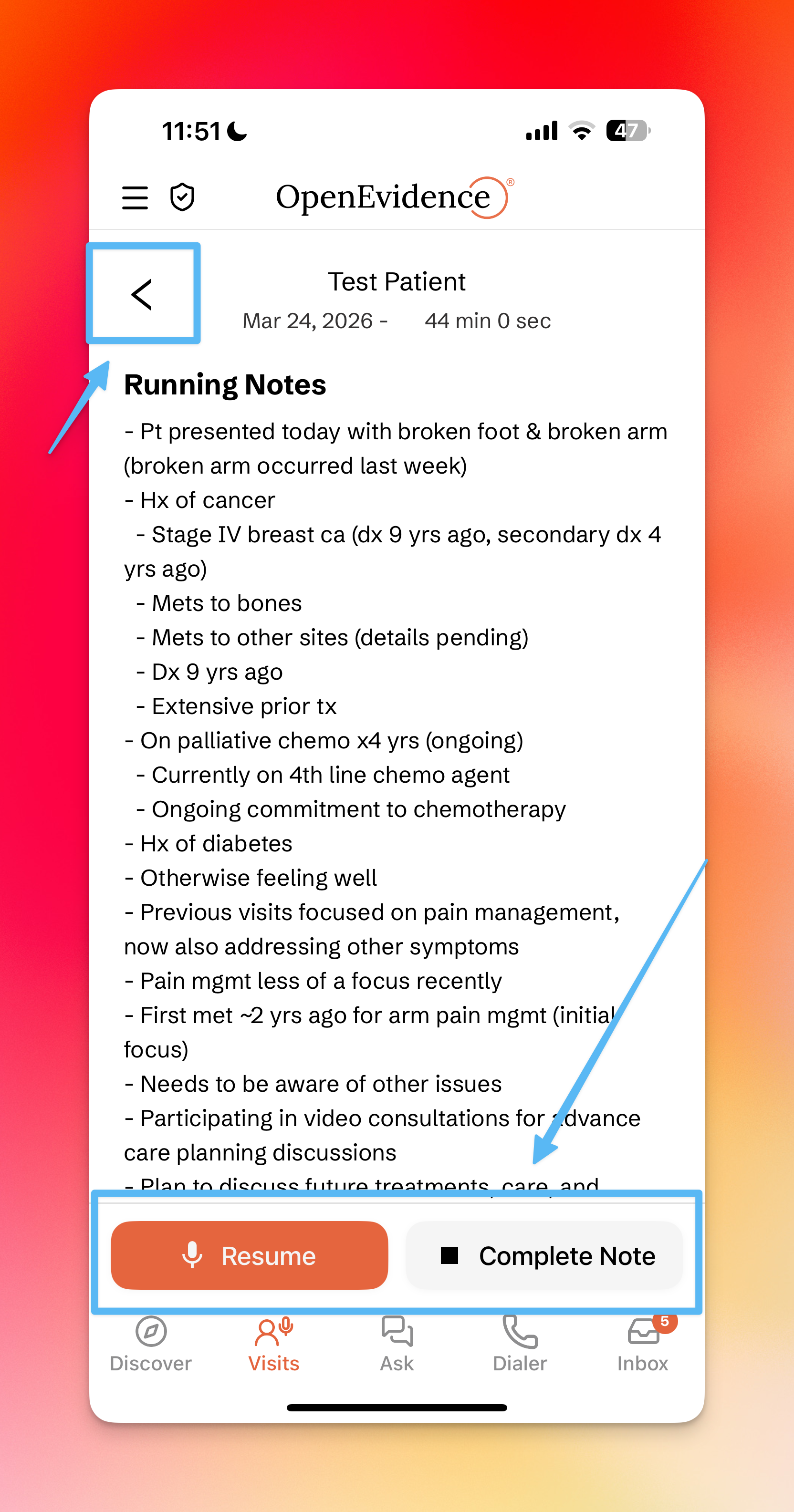
Notes are fully viewable and editable on both web and mobile.