User Guide Contents
Patients
Organize questions, documents, and visits by individual patient. OpenEvidence uses all available patient context to provide more accurate answers, surface relevant evidence, and generate clinical notes.
Creating a patient
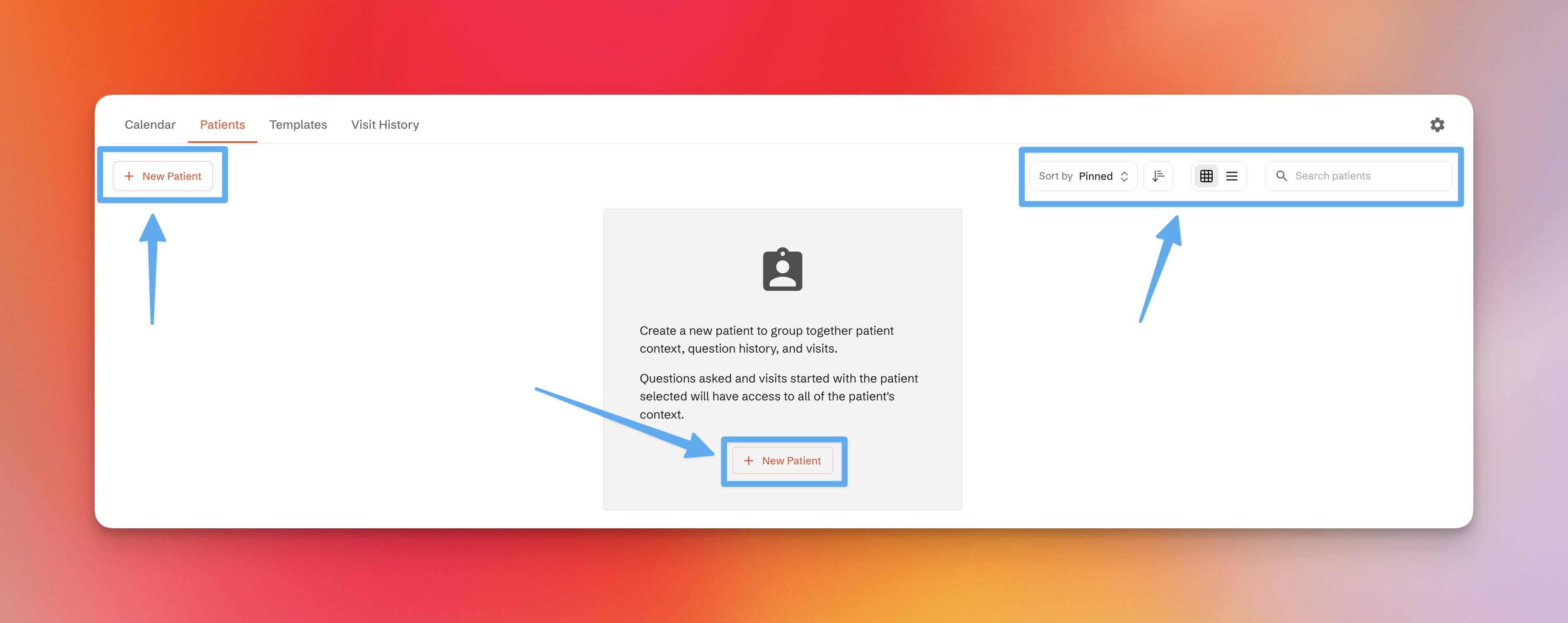
- Go to the Patients tab on the Visits Home page
- Click "New Patient"
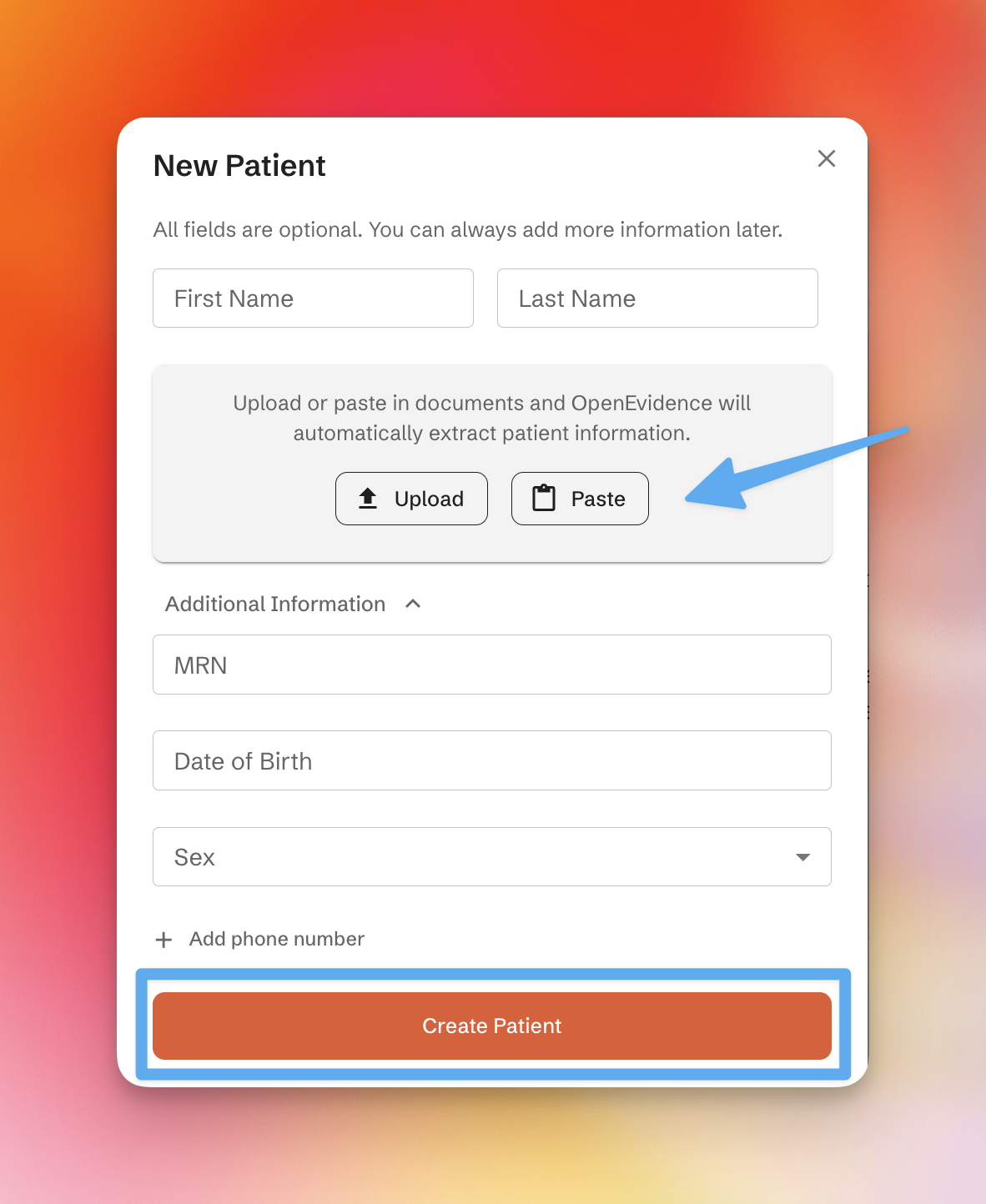
All fields are optional. You can enter:
- Name
- MRN
- Date of birth
- Sex
You can also upload or paste documents and OpenEvidence will automatically extract relevant details. Adding a phone number enables patient communication features.
Managing patients
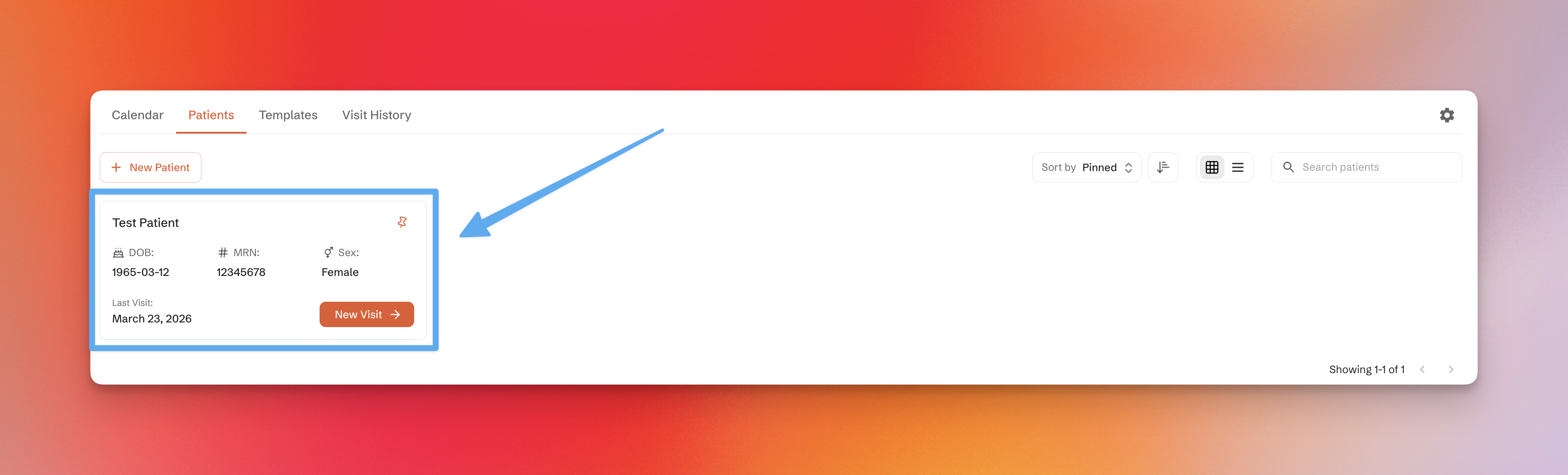
Once created, patients appear as cards. You can:
- Pin frequently accessed patients
- Filter, sort, and search using the controls on the right
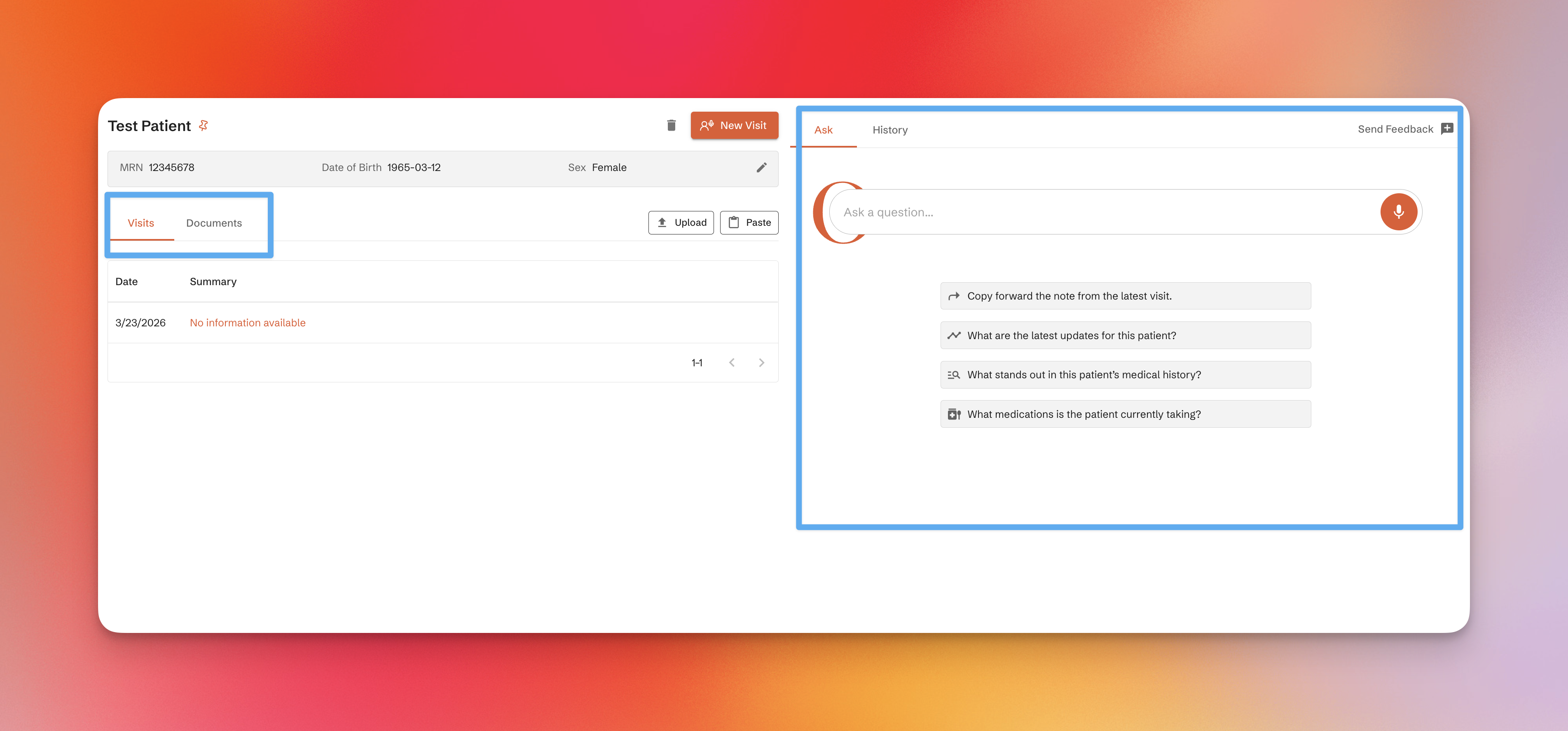
Patient detail view
Clicking a patient card opens a detailed view with:
- Past visits
- Uploaded documents
- Extracted data
You can also ask patient-specific questions or start a new visit directly from this page.
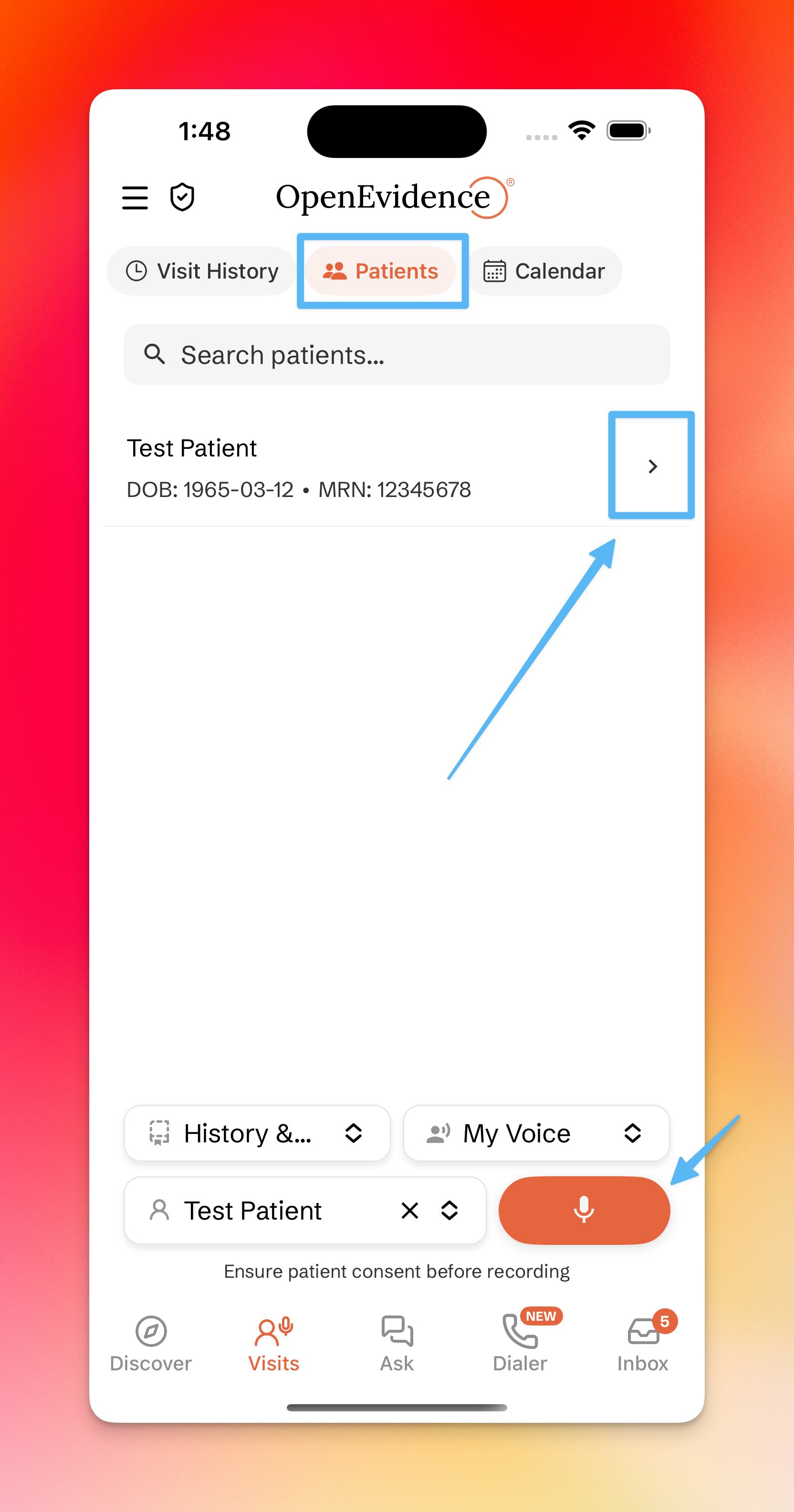
In the app
Tap the Patients icon in the Visits tab to view a searchable list. Selecting a patient opens their detail page, including associated visits. Additional features like document viewing and advanced queries are available on the web.