User Guide Contents
Care Teams
Bring your whole practice into the workflow you already use. Care Teams let clinicians collaborate with colleagues and add administrative staff — schedulers, medical assistants, and office staff — to a shared workspace for patients, visits, and documents.
Shared team workspaces
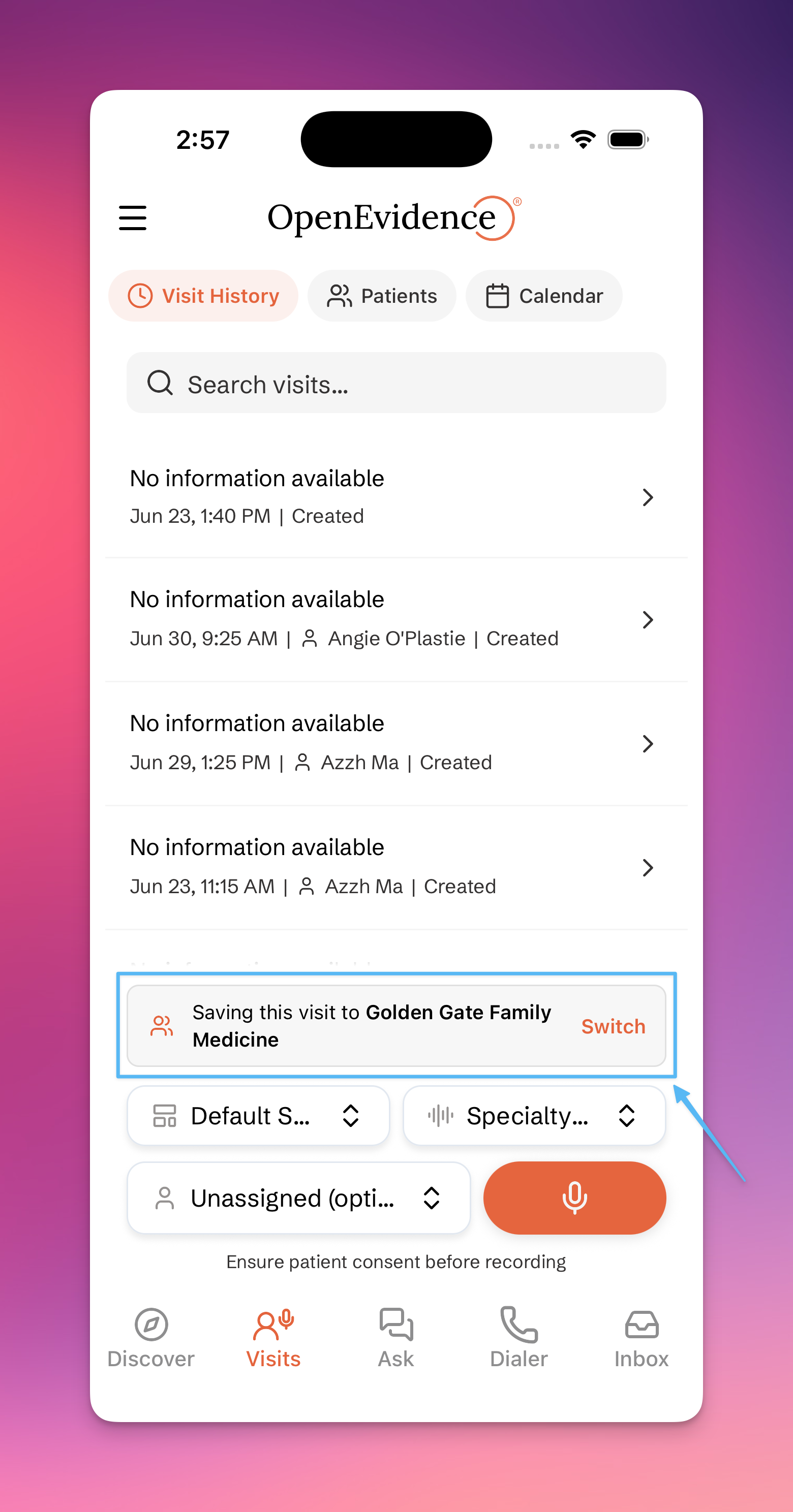
Create a Care Team and switch between your Personal workspace and any team you belong to. Patients, visits, and documents can live inside a team, so everyone on the team sees the same information.
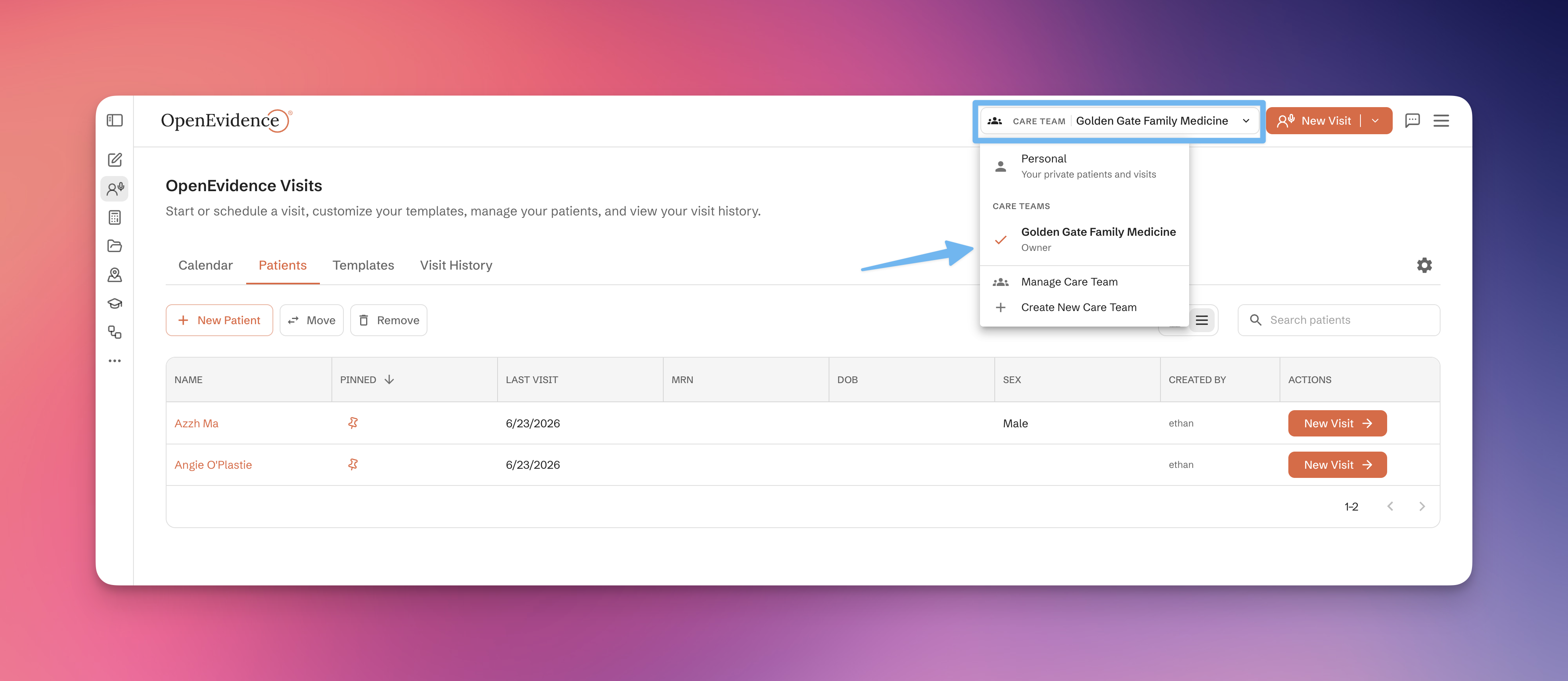
Work created in a team workspace stays with the team; your Personal workspace remains private to you.
Inviting a Care Coordinator
Schedulers, medical assistants, and office staff can join your Care Team as Care Coordinators — no NPI required. Care Coordinators handle the work surrounding the visit so clinicians can focus on the encounter itself:
- Build and maintain the patient list
- Schedule visits
- Upload and manage patient documents
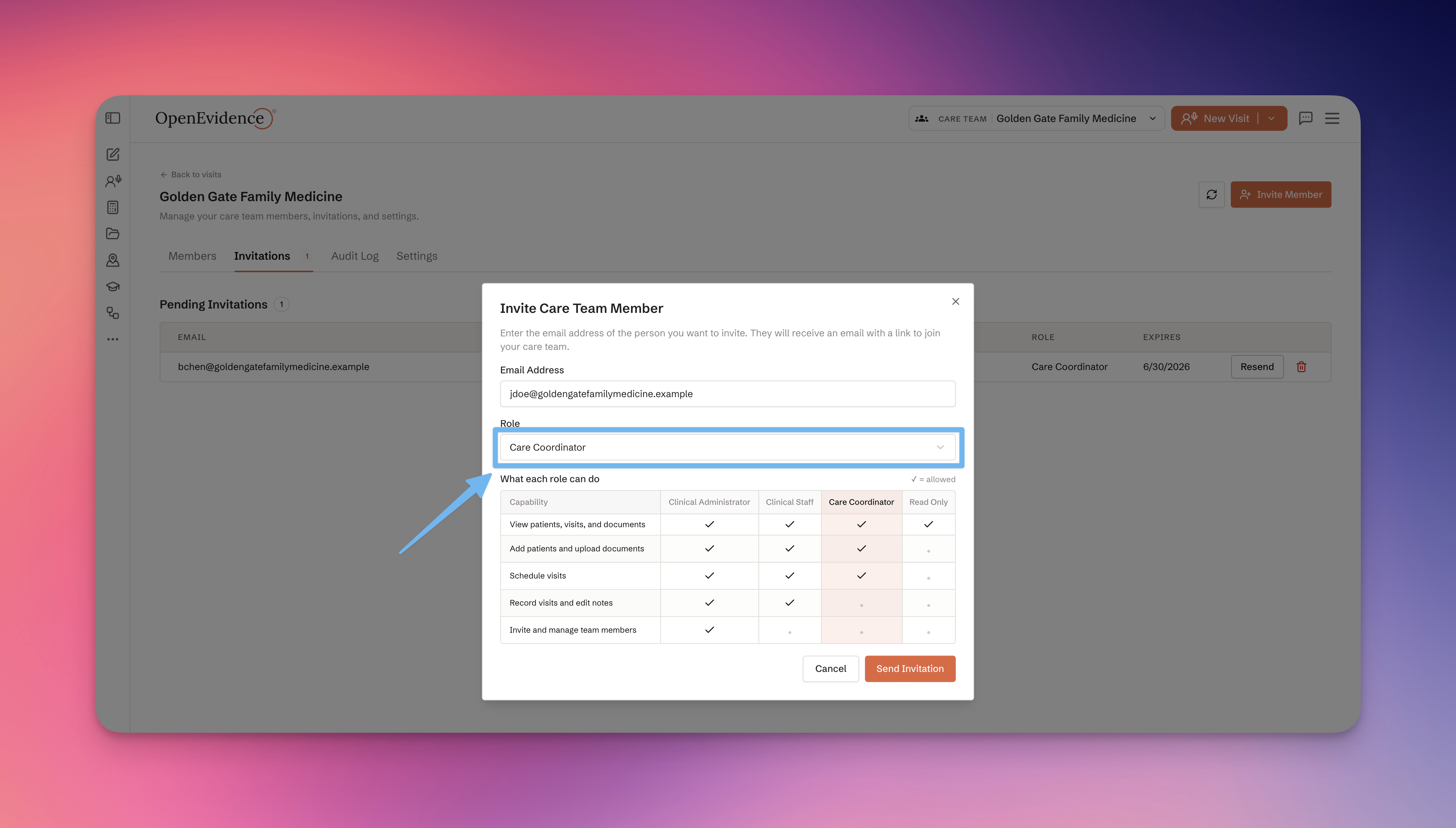
Invite teammates from the Care Team settings page. They'll receive an invitation to join your team's shared workspace.
Collaborating on visits
Visits created inside a Care Team are visible to everyone on the team. A clinician colleague can pick up where you left off, review the note, or finalize the documentation.
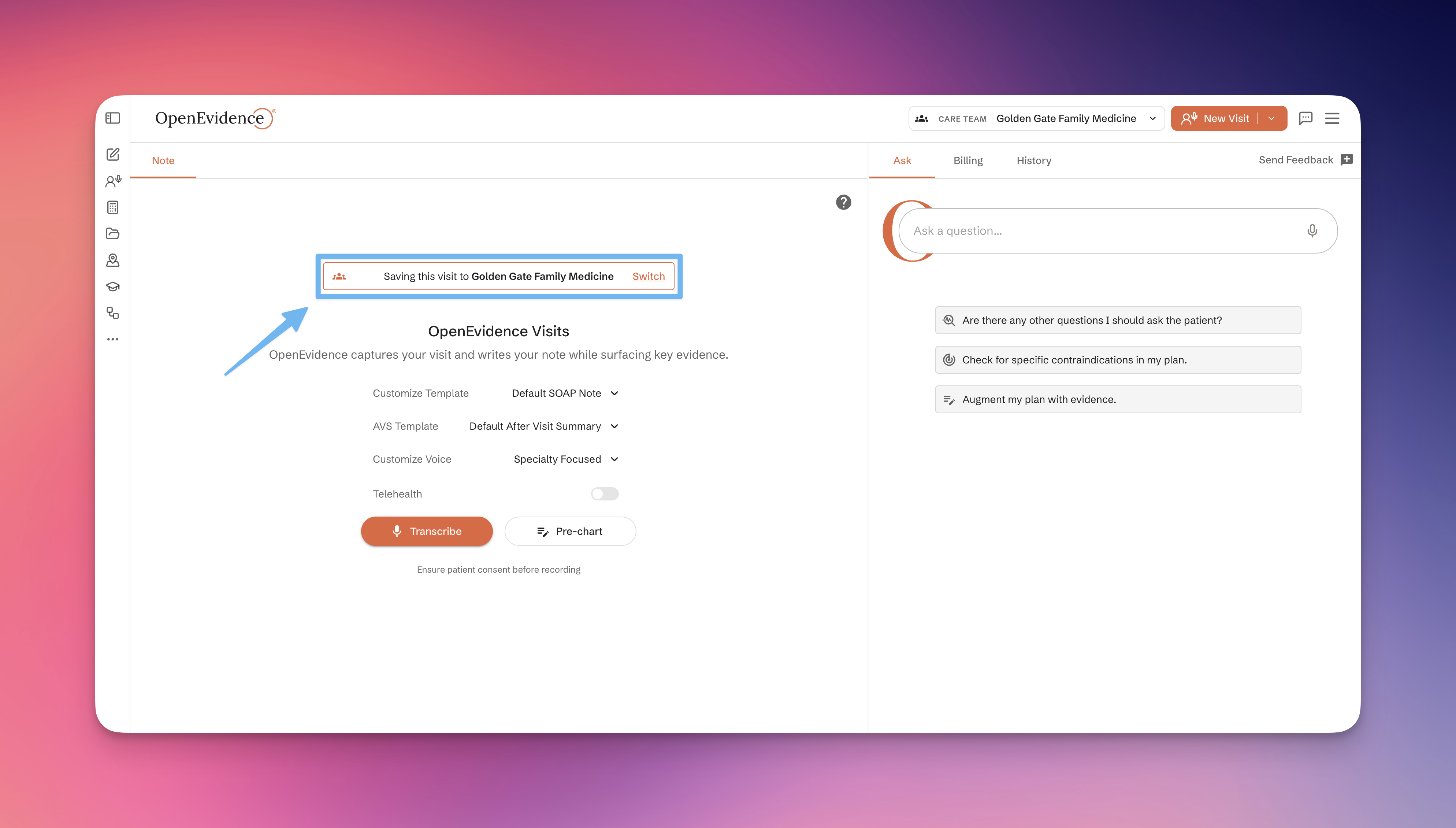
Clinicians continue to record and finalize visits. Care Coordinators support the visit but do not record or sign clinical notes.
Roles, permissions, and audit log
Owners and admins manage who's on the team and what they can do. Each person gets the part of the workflow that fits their role:
- Owners and admins manage membership, roles, and team settings
- Clinicians record and finalize visits
- Care Coordinators build the patient list, schedule visits, and manage patient documents
In the app
Care Teams are available on the OpenEvidence app for iOS and Android.