User Guide Contents
After Visit Summary
Automatically generate a patient-friendly summary at the end of every visit.
Enabling automatic summaries
Watch it in action
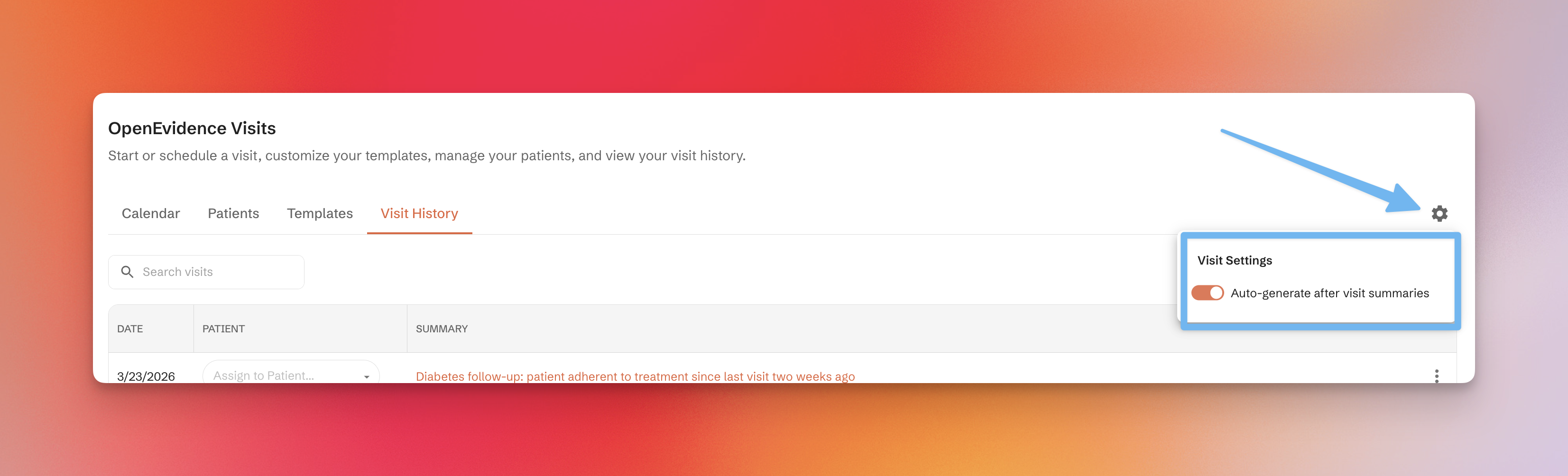
To enable or disable automatic summaries, use the settings icon on the Visits Home page.
AVS editor
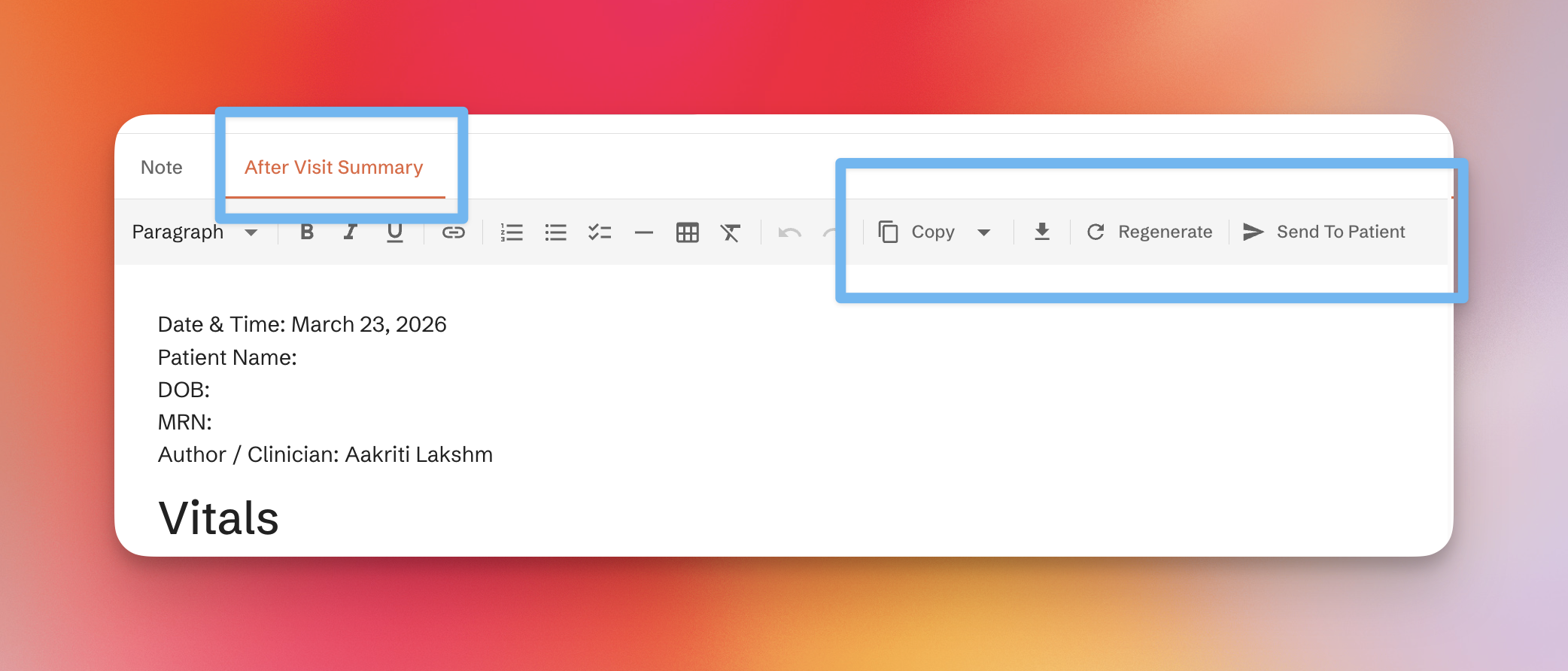
After a visit is completed, the AVS appears alongside the clinical note. You can review, edit, and share it directly from the visit screen.
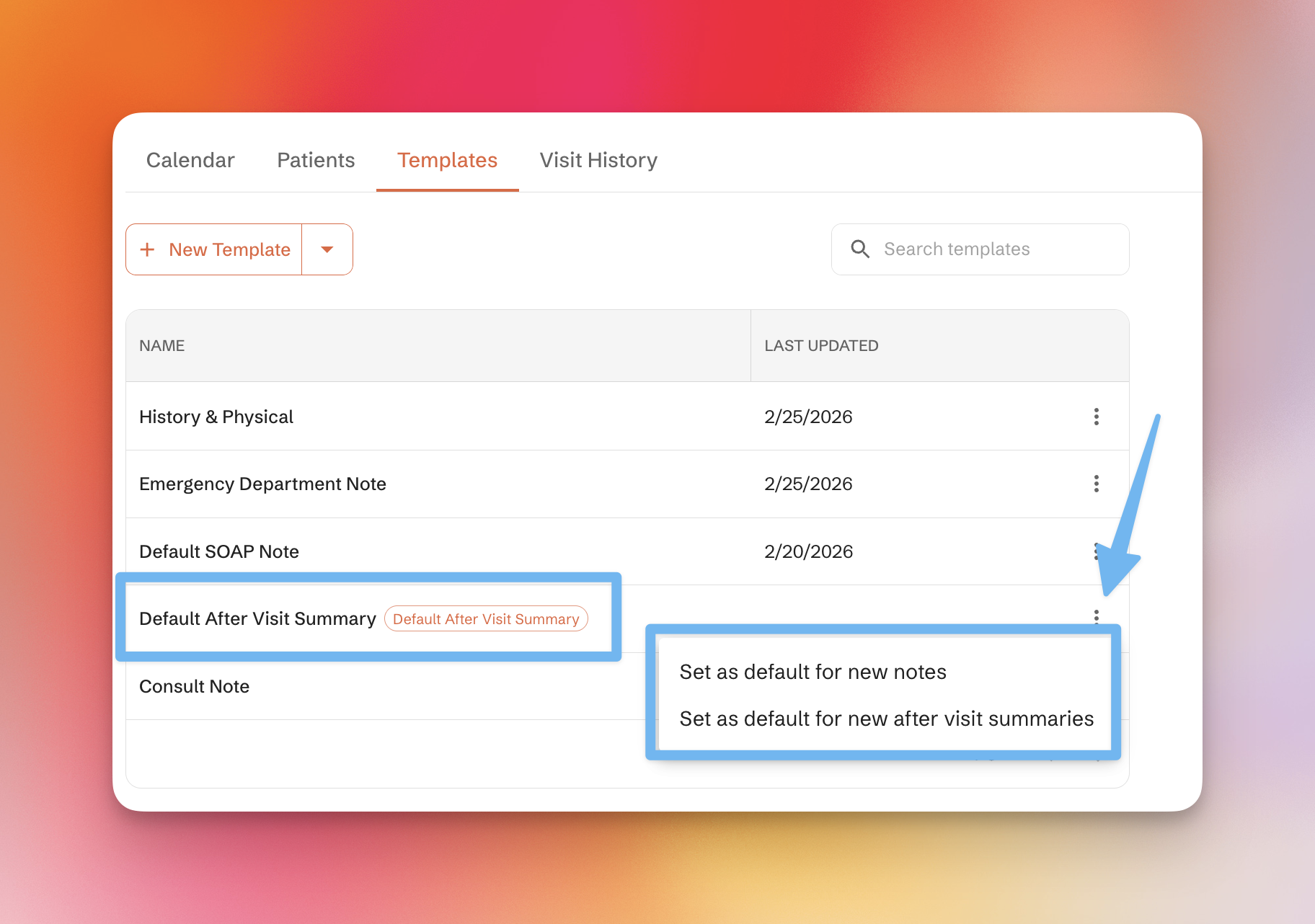
AVS templates
AVS templates are managed in the same Templates tab used for visit notes. Set a default AVS template using the options menu next to each template.