User Guide Contents
Dialer
Call patients directly from OpenEvidence using your office or hospital number — keeping your personal number private.
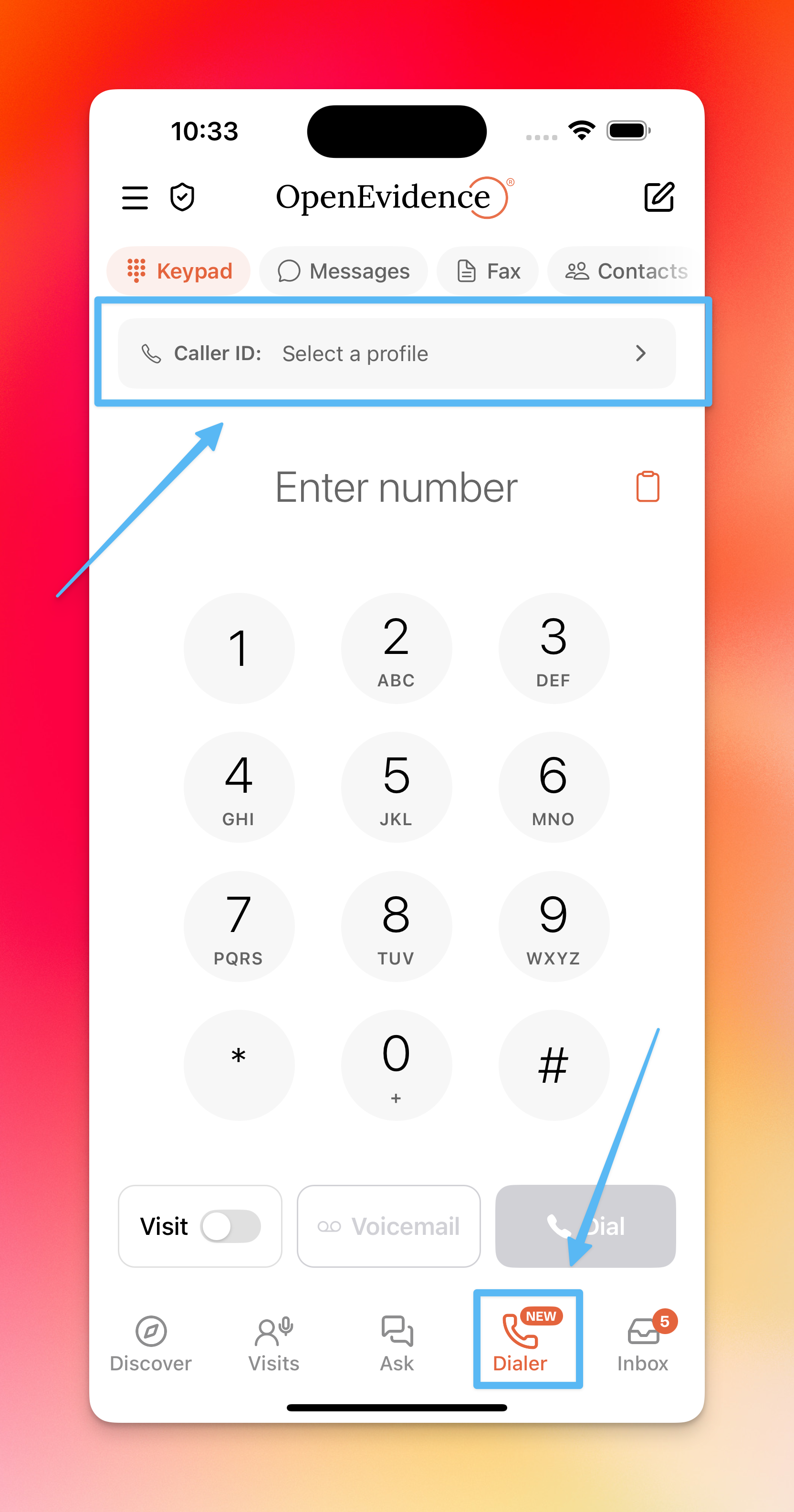
Setting up a profile
Start by creating a caller profile. This lets you save a number to display as your caller ID — such as an office or hospital number. The nickname is for your personal use only, helping you keep track of multiple profiles.
If your practice has caller ID configured, patients will see your practice's name when you call — not an unknown number.
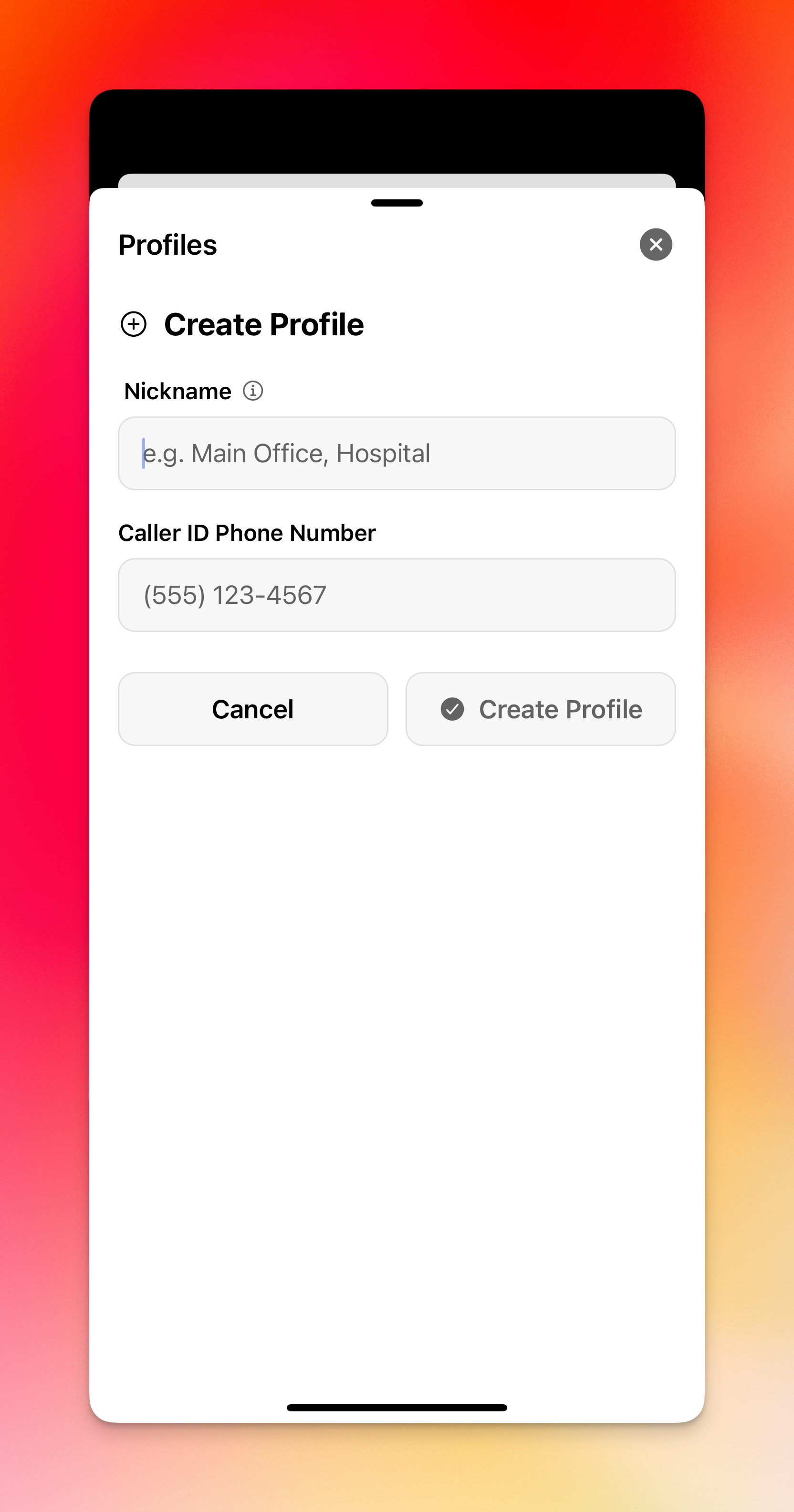
Click "Create Profile," then fill in your nickname and number.
Calling a patient
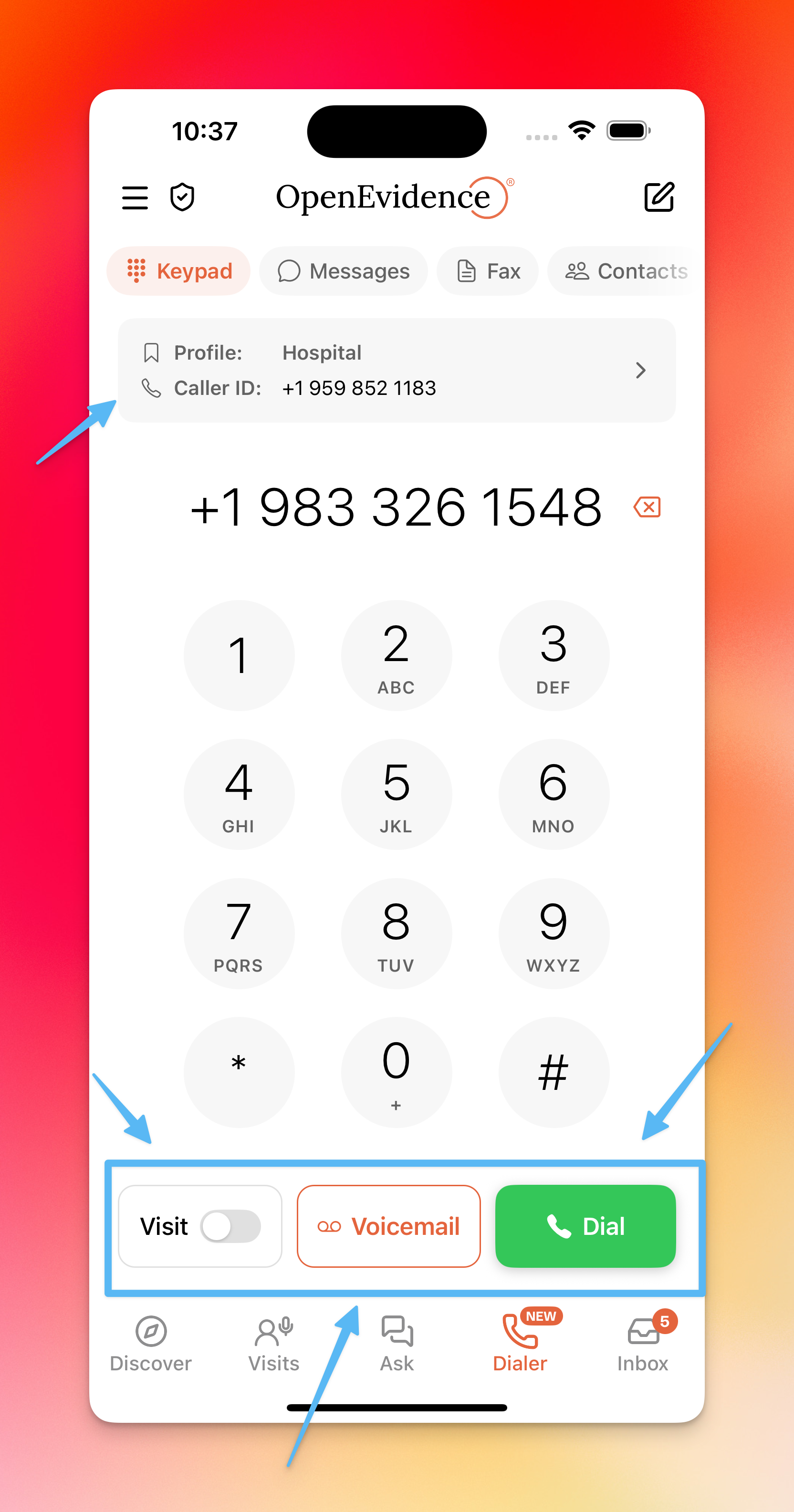
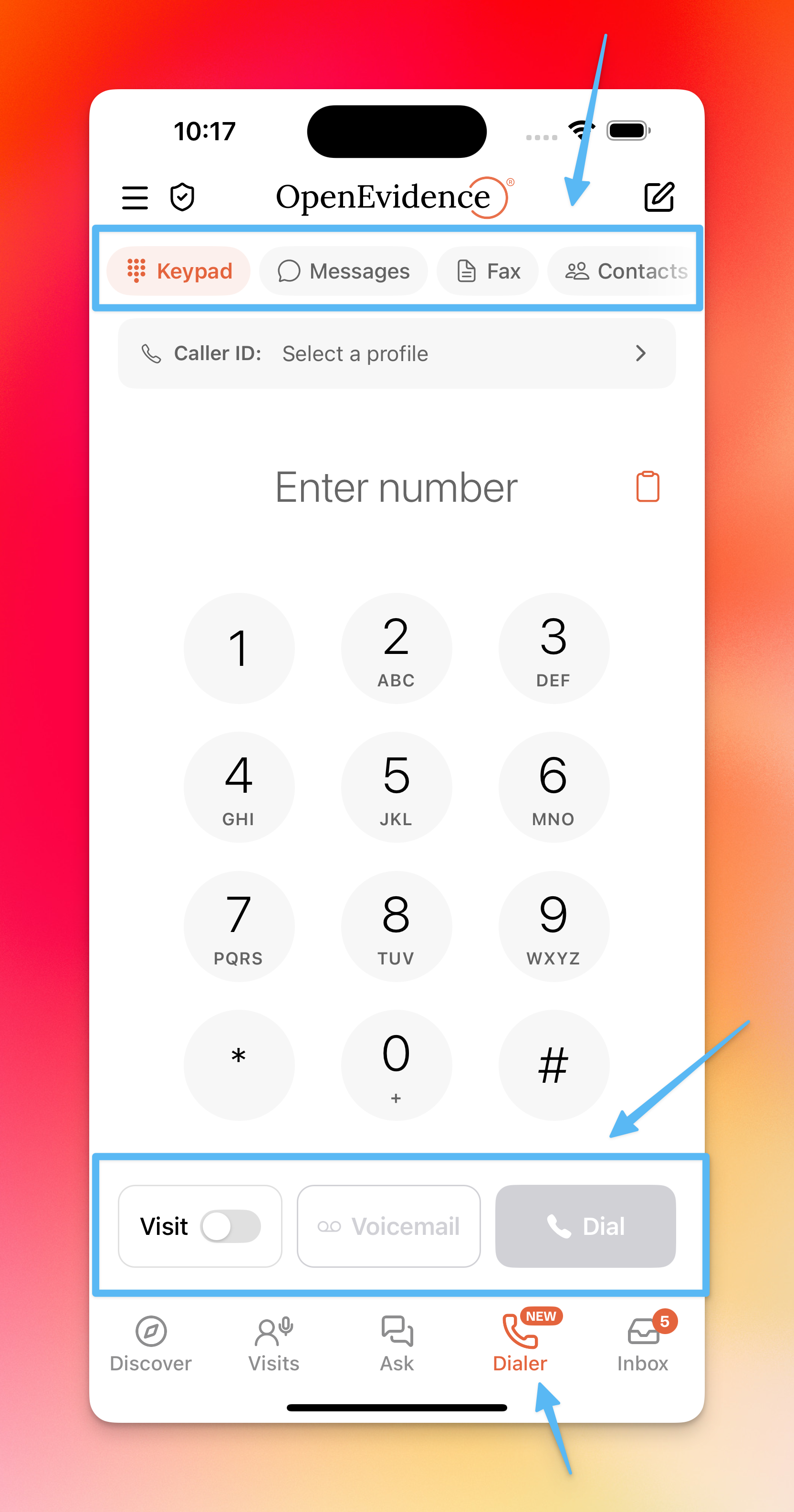
Once a profile is set up, you can call any patient. If you have a number copied to your clipboard, tap the clipboard icon to paste it directly. Otherwise, type the number manually.
Three options are available at the bottom of the screen:
- Dial — place a standard call
- Voicemail (middle button) — leave a message without ringing the patient
- Visits toggle — record the call and document it as a visit encounter
Recording a call as a visit
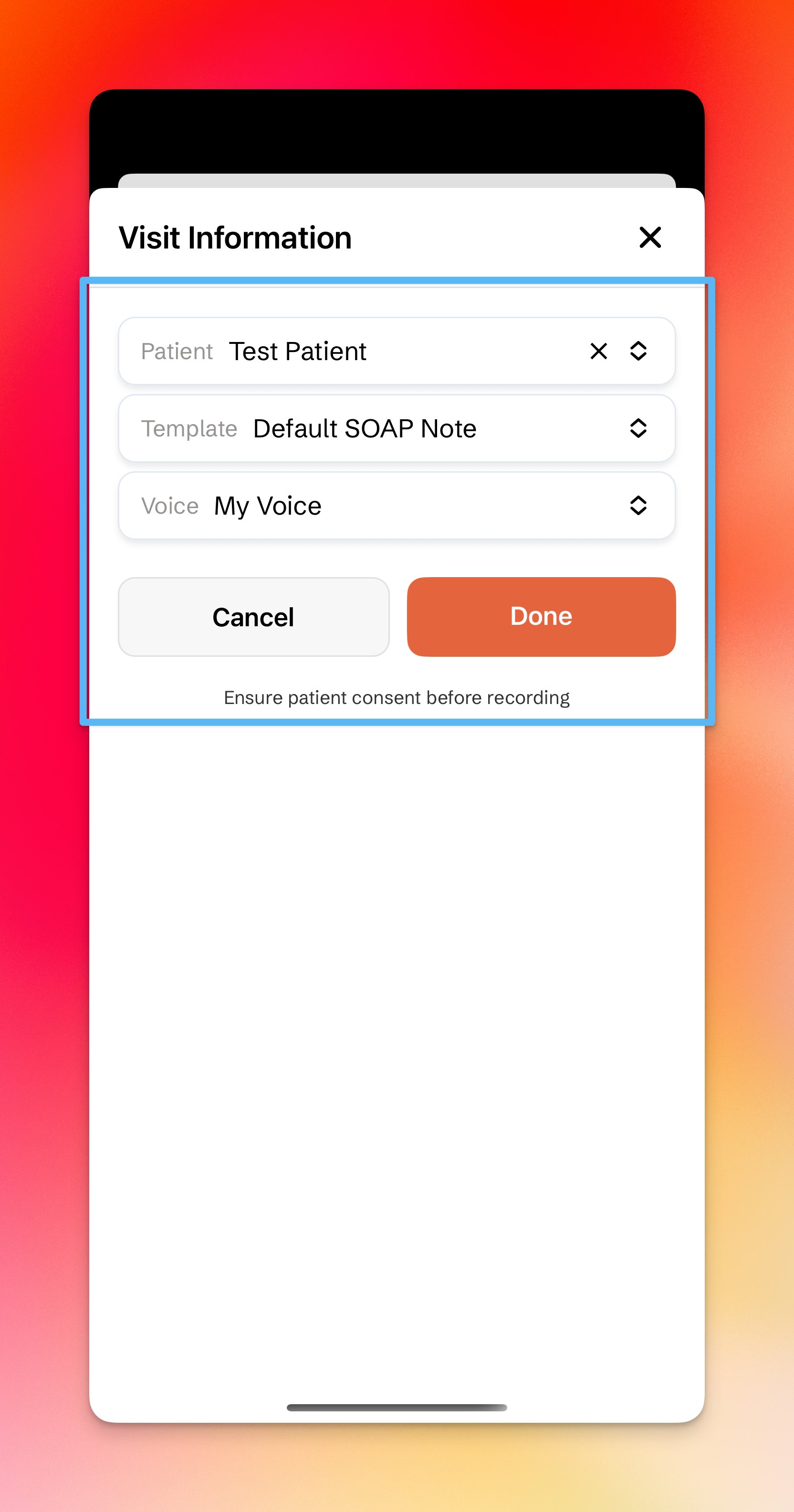
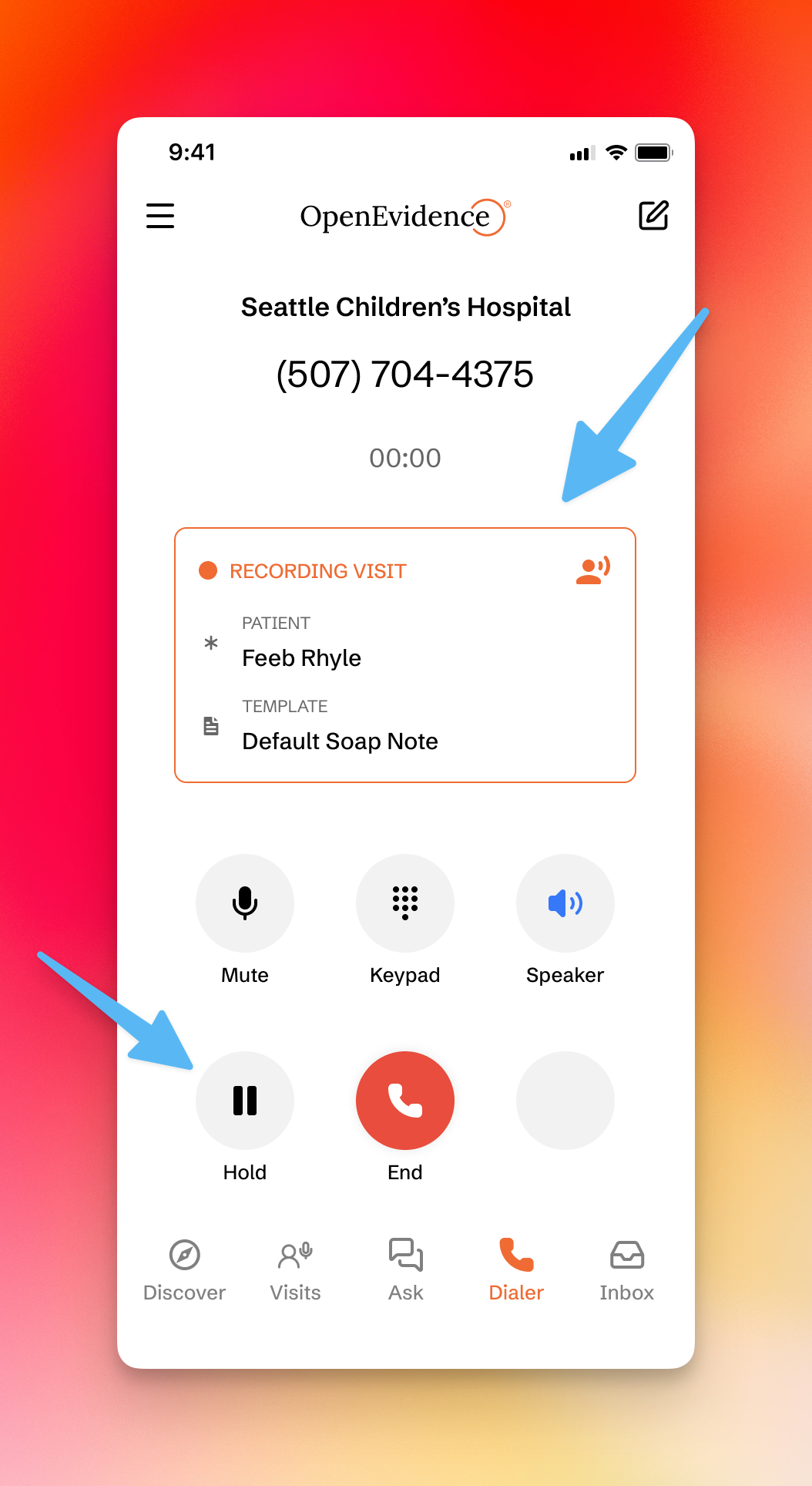
Switching the Visits toggle on opens a modal where you can select the Patient, Template, and Voice to associate with the encounter. The call is then transcribed and documented like any other visit.
Past calls & contacts
- Past calls are accessible via the Calls icon in the top header
- Sync your contacts into OpenEvidence via the Contacts icon in the header