User Guide Contents
CME
Earn CME/CE and MOC credit from your use of OpenEvidence in clinical practice.
Overview
Earn free CME/CE and MOC credit from your use of OpenEvidence in clinical practice. Credits are AMA PRA Category 1 Credit™, valid in all 50 states. Physicians, nurse practitioners, and physician associates can earn CME/CE credit, and physicians can additionally earn Maintenance of Certification (MOC) credit through select certifying boards. This guide walks through setting up your learner profile and claiming credit, step by step.
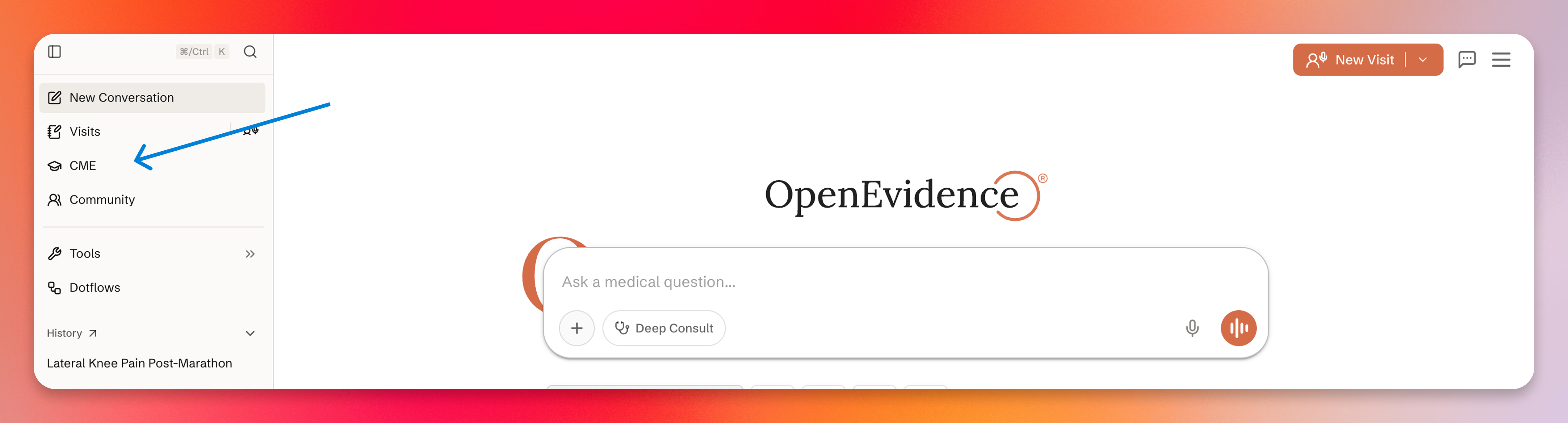
2. Complete your learner profile
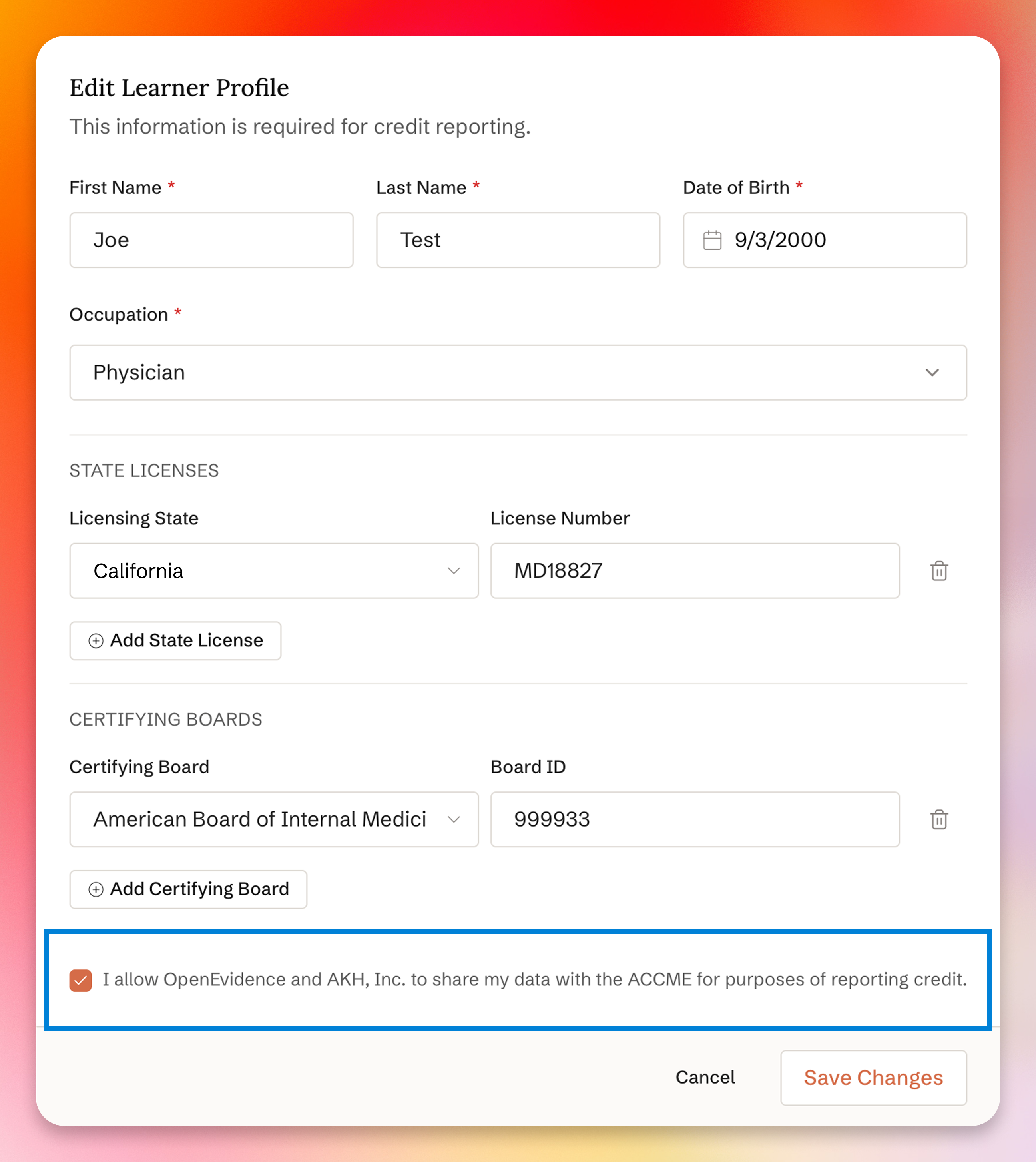
Enter your name, date of birth, and occupation. Then add your state license and certifying board details.
Important: Your state license and certifying board information must be accurate — this is what’s used to report your credits.
For physicians (MD/DO), once your credentials are verified, credits are automatically reported to participating state licensing boards. See the full list of participating state boards on the ACCME’s website. Certifying boards that support automatic MOC reporting are marked with an MOC badge. For all other states, non-MOC boards, nurse practitioners, and physician associates, you can download your transcript from your dashboard to self-report.
Check the data-sharing consent box and click Save Changes.
3. Choose topics from your CME dashboard
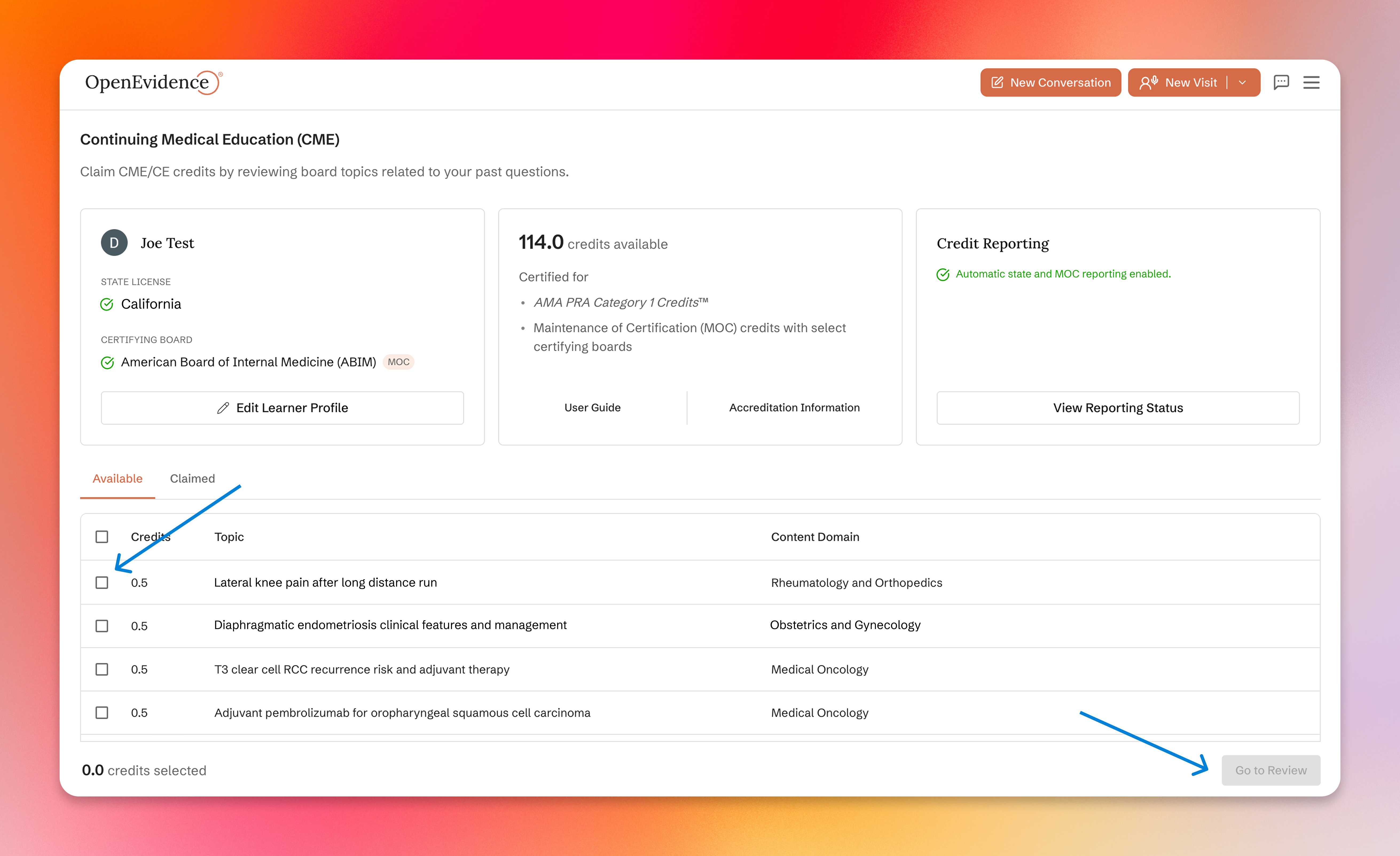
Your CME dashboard shows your available credits and a list of topics drawn from your clinical questions. Under the Available tab, select one or more topics, then click Go to Review.
4. Review a topic
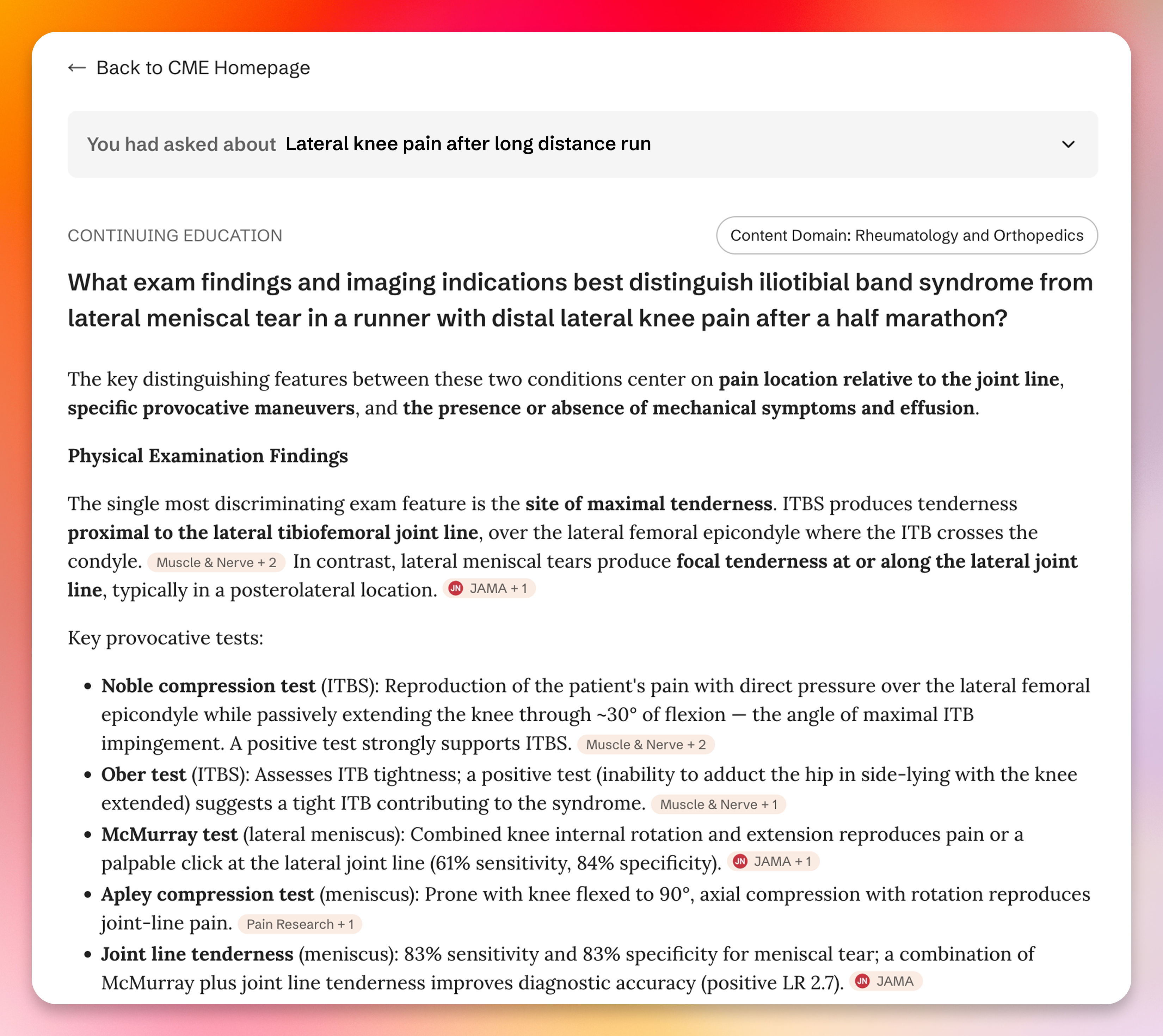
Each activity is tied to a content domain within your certifying board’s content outline — in this example, Rheumatology and Orthopedics (ABIM).
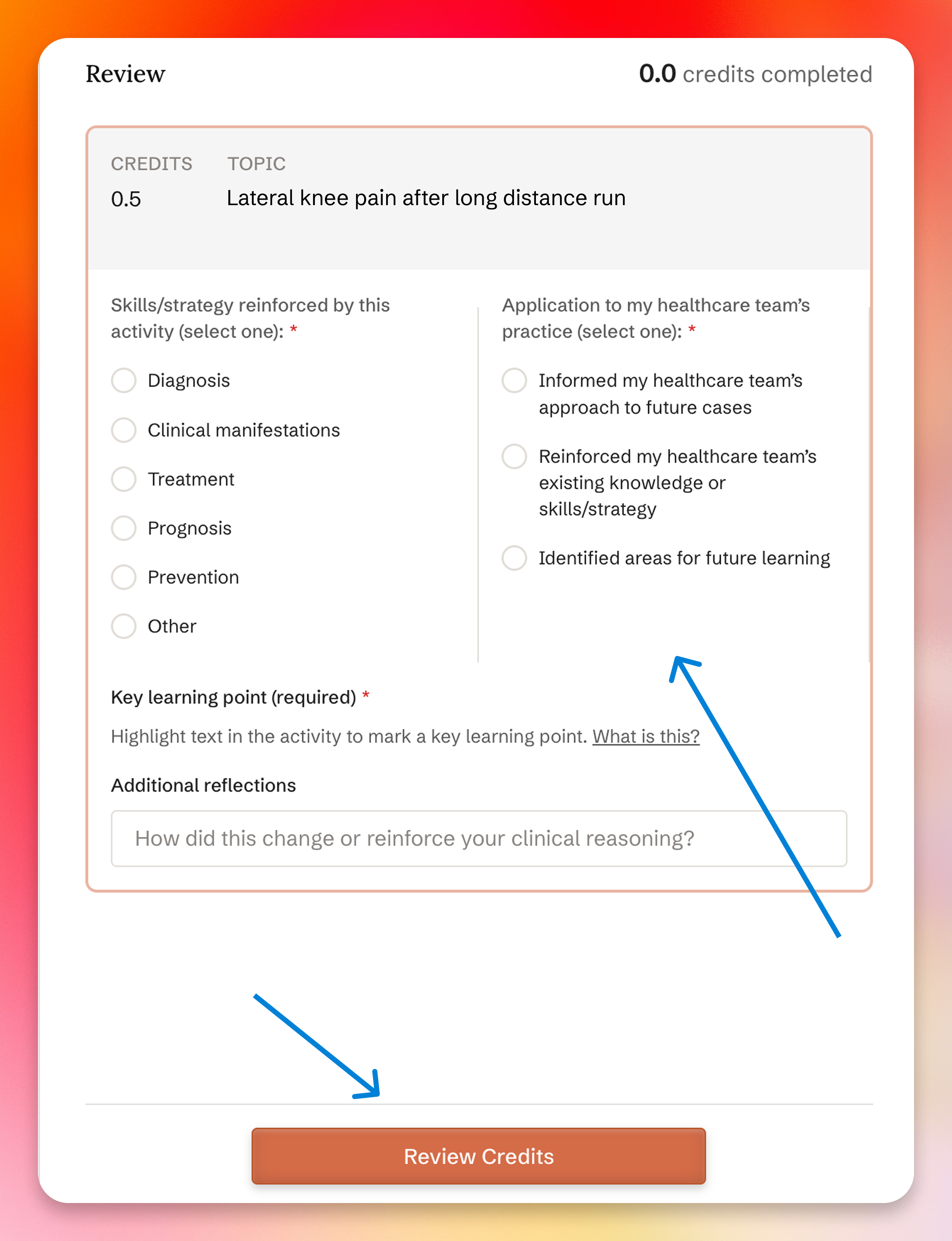
5. Complete the reflection and click Review Credits
After reviewing the activity, fill out the reflection. This is required to claim credit.
- Skills/strategy reinforced: select the domain this activity reinforced.
- Application to practice: select how the activity informed your healthcare team’s care.
- Key learning point: highlight text in the activity to mark it.
- Additional reflections: note how it changed or reinforced your reasoning.
Click Review Credits at the bottom of the panel.
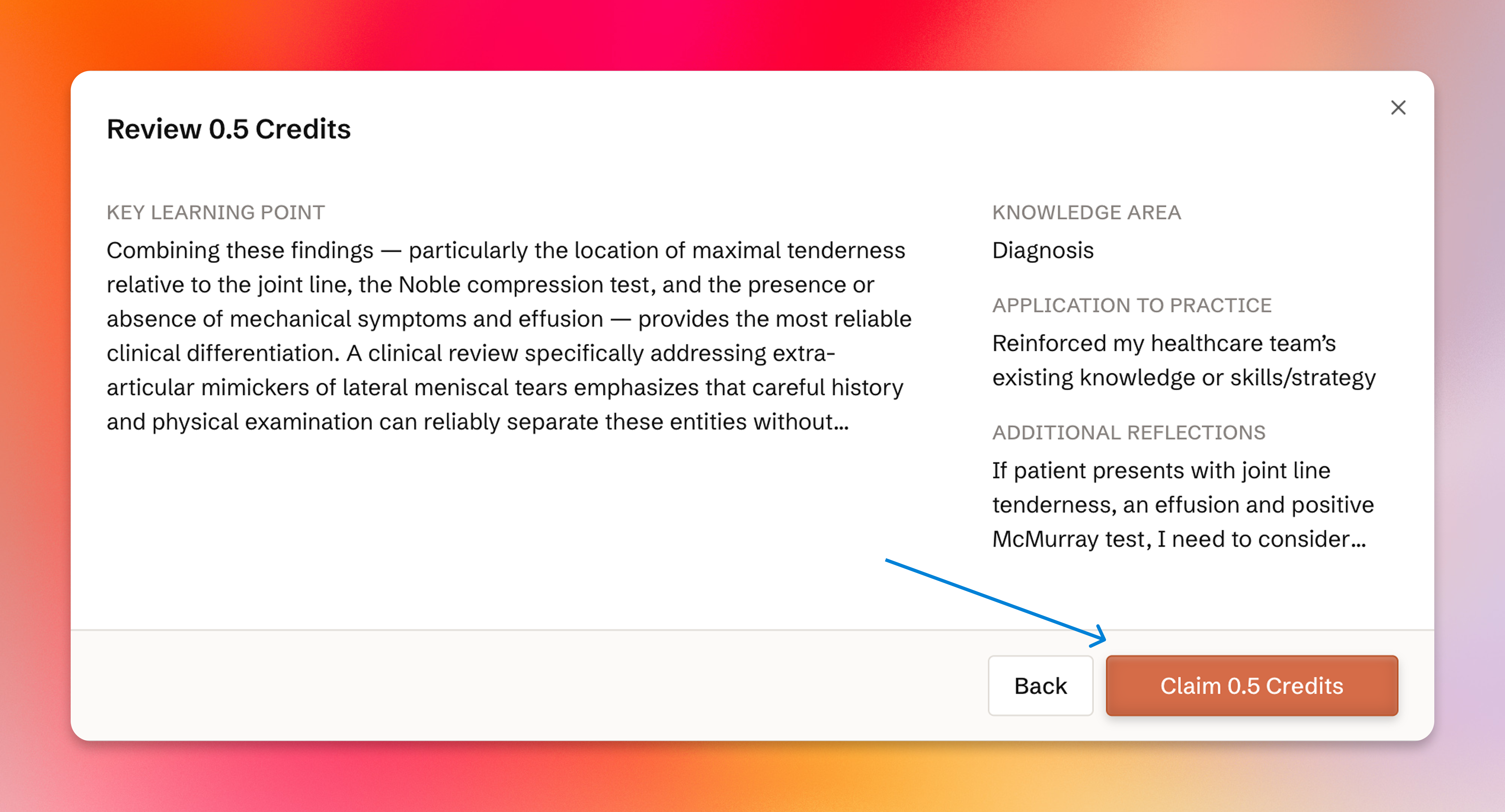
6. Claim your credits
Review your reflection, then click Claim Credits.
7. Confirmation
Your credits have been claimed. For physicians with verified credentials, credits are automatically reported to participating state licensing boards and to certifying boards marked with an MOC badge. Nurse practitioners and physician associates can download their transcript from the CME dashboard to self-report to their certifying organizations.
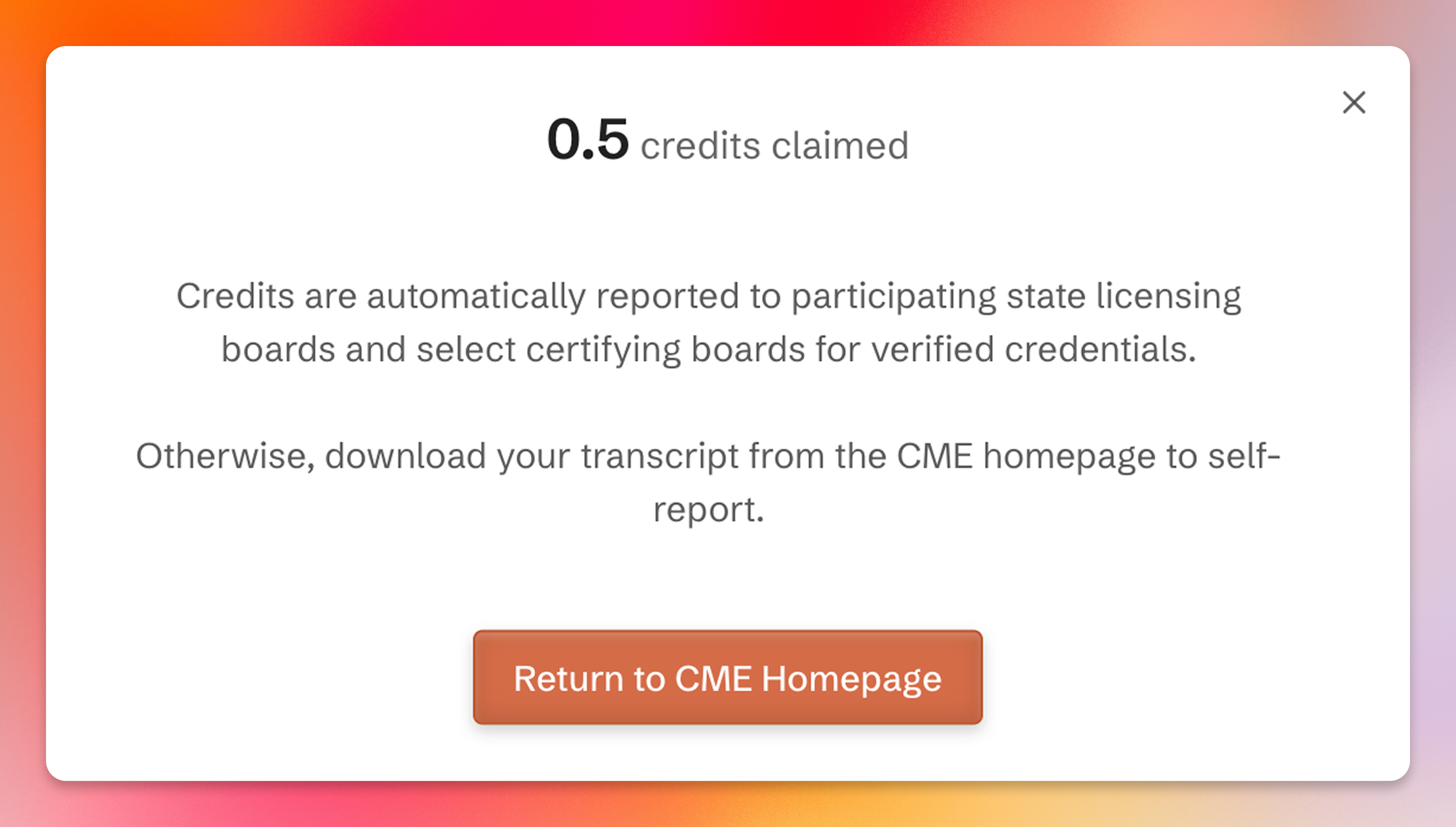
That’s it. The more you use OpenEvidence in clinical practice, the more topics you’ll have to review and claim.
Automatic reporting
Participating state boards with automatic CME reporting: See the full list of participating state boards on the ACCME’s website.
Certifying boards with automatic MOC reporting:
- American Board of Anesthesiology (ABA)
- American Board of Internal Medicine (ABIM)
- American Board of Orthopaedic Surgery (ABOS)
- American Board of Otolaryngology - Head and Neck Surgery (ABOHNS)
- American Board of Pathology (ABPath)
- American Board of Pediatrics (ABP)
- American Board of Physical Medicine and Rehabilitation (ABPMR)
- American Board of Surgery (ABS)
- American Board of Thoracic Surgery (ABTS)
If you have any questions about obtaining, reporting, or managing CME, MOC, or board certification credit, please contact openevidence@akhcme.com