User Guide Contents
Learn: Personalized medical education hub for every stage of a clinician's career
Prepare for board examinations, develop clinical reasoning through case-based learning, and reinforce knowledge with spaced repetition.
Overview
Learn is a personalized medical education hub for every stage of a clinician’s career, from medical school through practice. It draws on the same continuously updated foundation of peer-reviewed research and clinical guidelines that powers every OpenEvidence answer. Each Learn tool is grounded in a core principle of how clinical expertise develops: deliberate practice, formative feedback, and spaced repetition. To open it, click Learn in the navigation panel to the left.
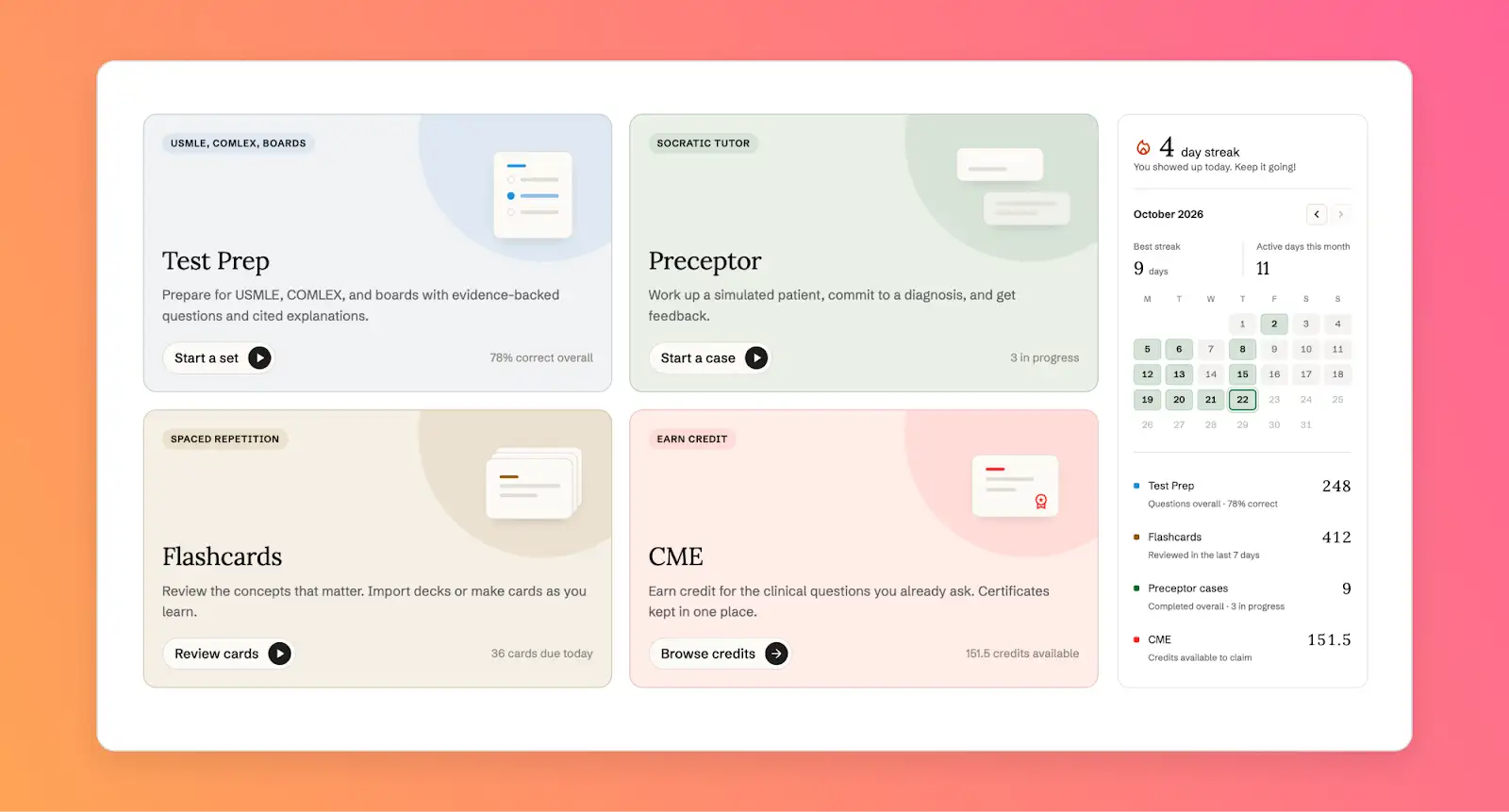
Learn includes:
- Test Prep for board-style practice tests
- Preceptor for Socratic case based learning
- Flashcards for spaced-repetition review
Test Prep
Prepare for USMLE, COMLEX, and specialty and subspecialty boards with board-style questions, including image-based questions. Questions follow the exam blueprints, and every explanation is grounded in the most current guidelines and peer-reviewed literature, with citations.
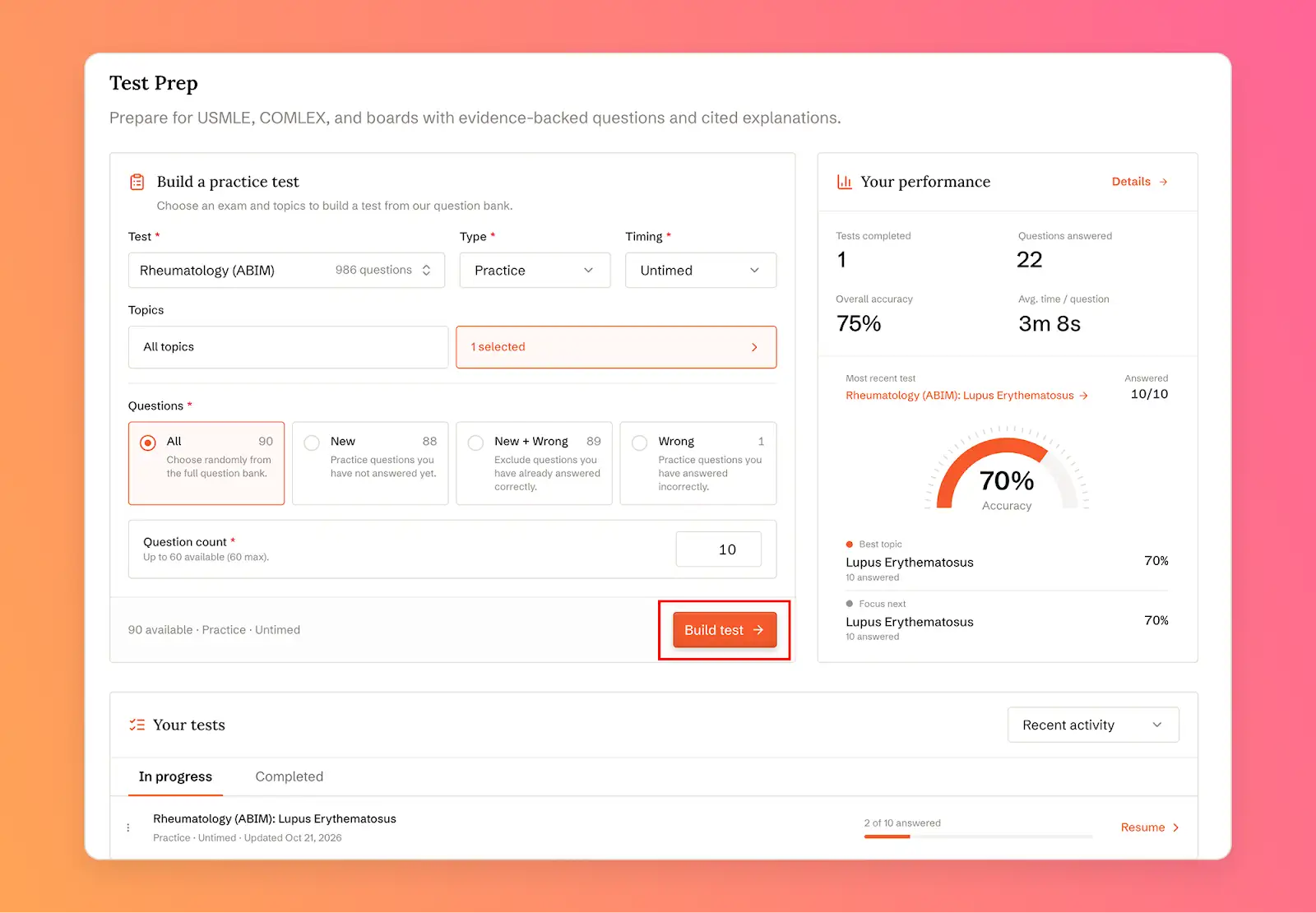
To build a practice test:
- Choose a Test (for example, USMLE Step 2 CK), a Type, and Timing (timed or untimed).
- Under Topics, keep All topics or click Select topics to choose specific topics and subtopics.
- Choose which Questions to draw from: all questions, new and previously missed, or previously missed only.
- Set the Question count (up to 60) and click Build test.
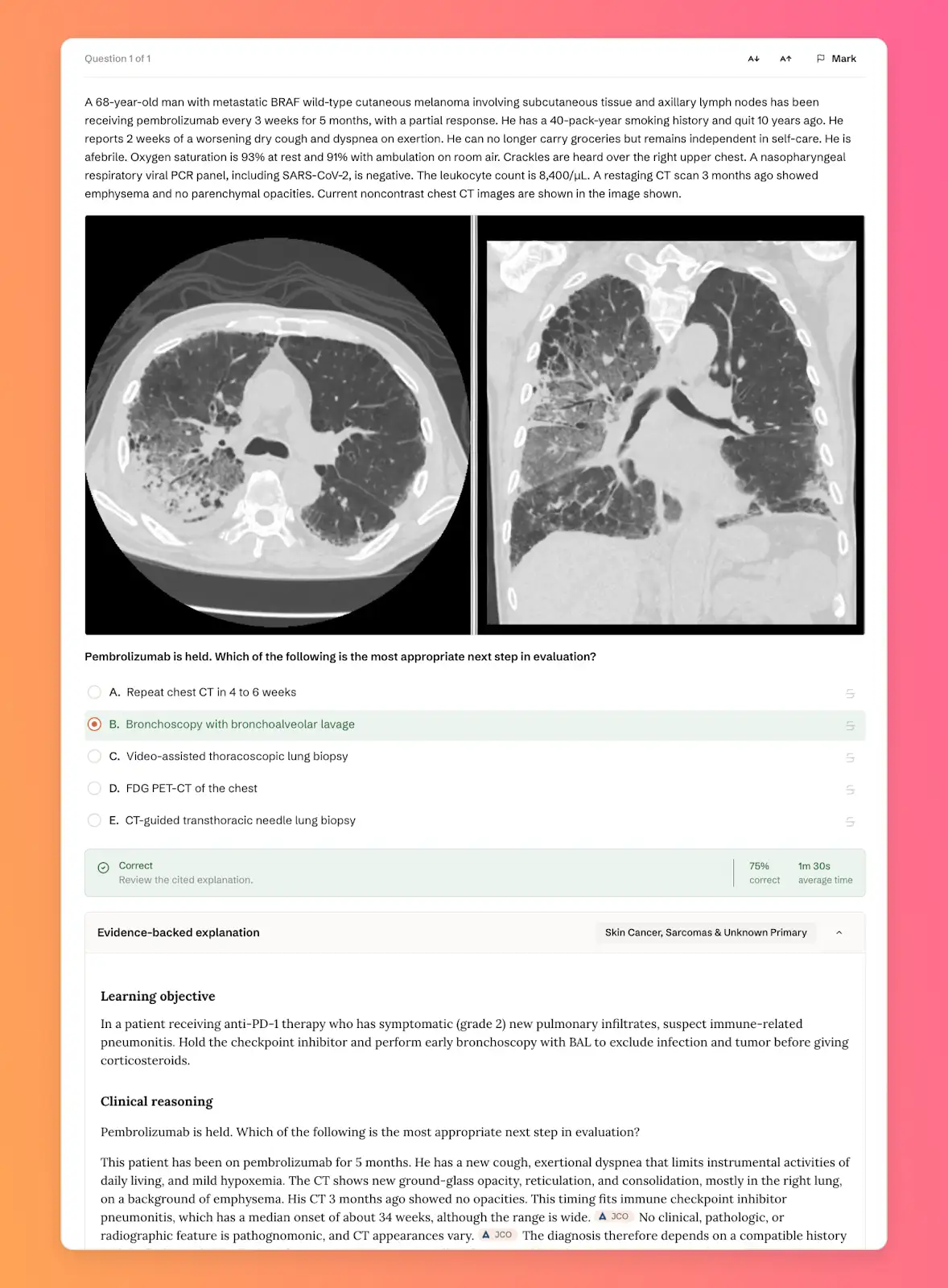
After you answer, review the explanation and its sources, or ask OpenEvidence a follow-up question.
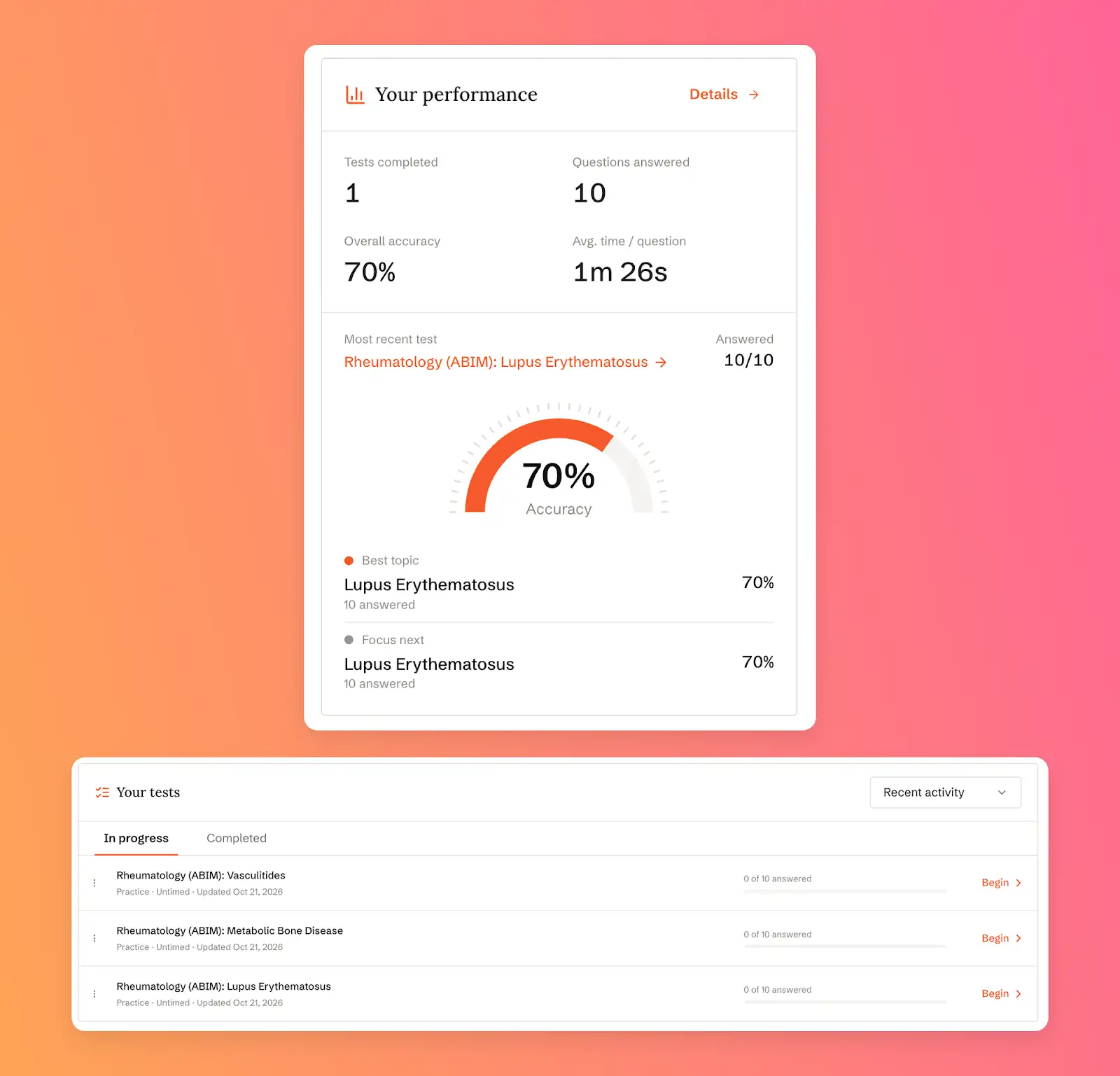
Your performance shows tests completed, questions answered, overall accuracy, and average time per question, along with your best topic and the topic to focus on next. Your tests lists tests in progress, which you can resume, and completed tests, which you can review.
Preceptor
Work through a simulated patient with a Socratic tutor that guides you with questions rather than revealing the case. Open Preceptor on the Learn page.
- Choose your training level, from Preclinical through Fellow. Case counts and learning objectives reflect the level you choose.
- Search by presenting symptoms or setting, or filter by topic and length.
- Each case lists its setting, specialty, number of learning objectives, and length.
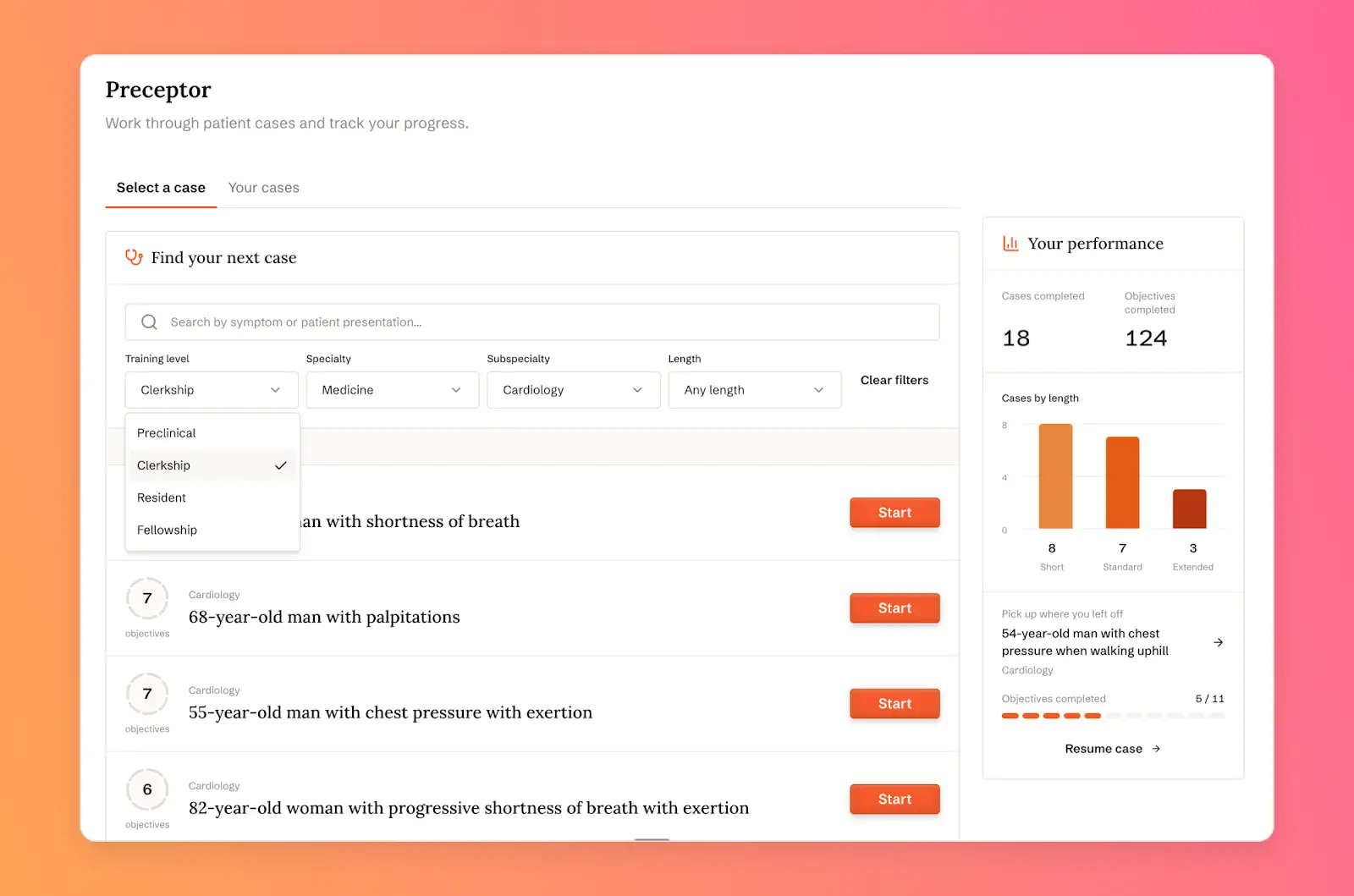
Working a case:
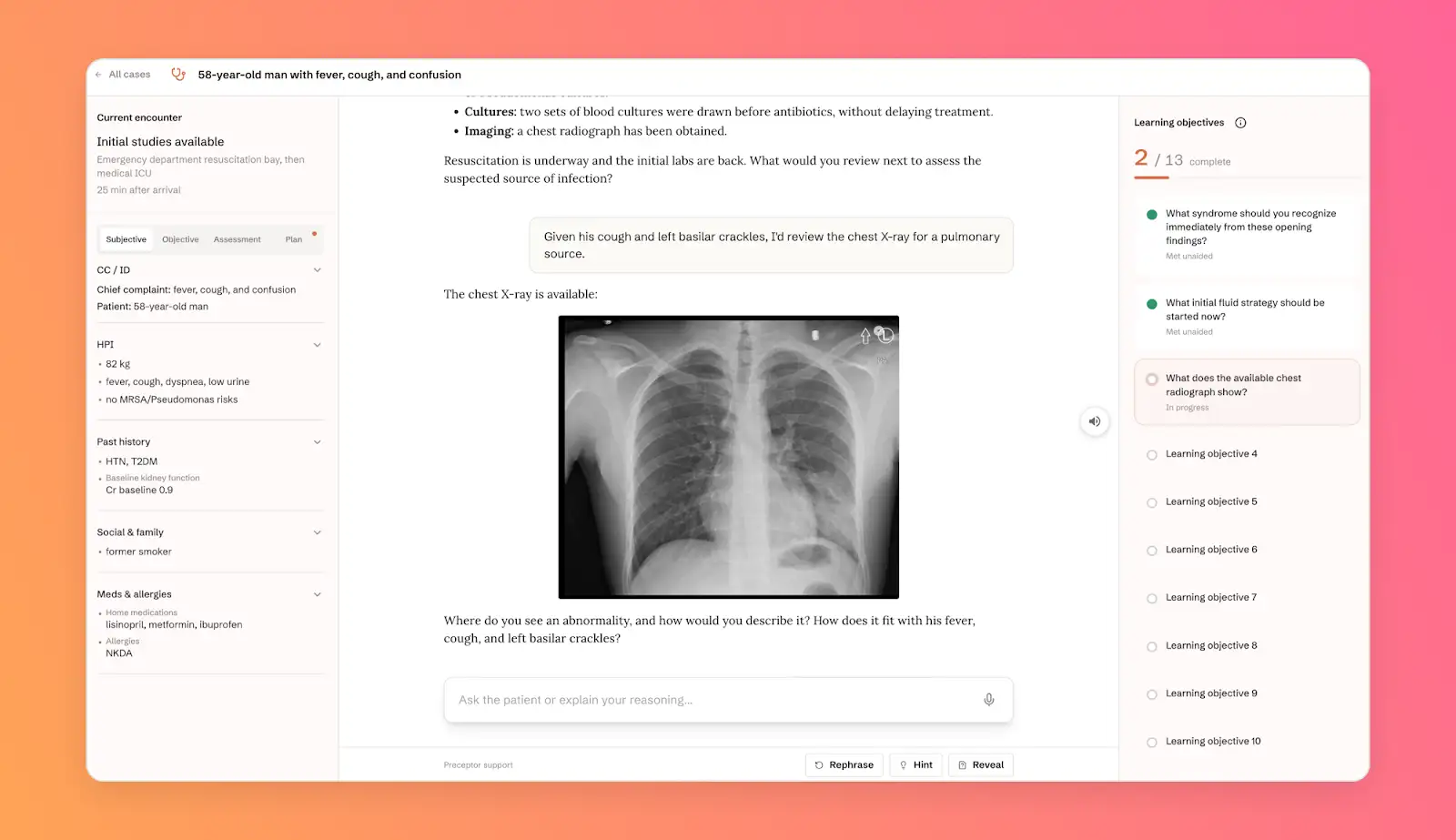
- The case moves through a series of checkpoints, from history and examination through testing, management, and discussion. You move on once you have gathered what the current checkpoint requires.
- Findings are revealed only when you ask for them. The preceptor does not offer the diagnosis up front.
- Keep your differential on screen and revise it as the case unfolds.
- If you jump ahead, the preceptor brings you back. If you are stuck, it narrows the question.
- At each checkpoint you see what you gathered, what you missed, where you needed a nudge, and how your differential changed. At the end you see the learning objectives the case was testing.
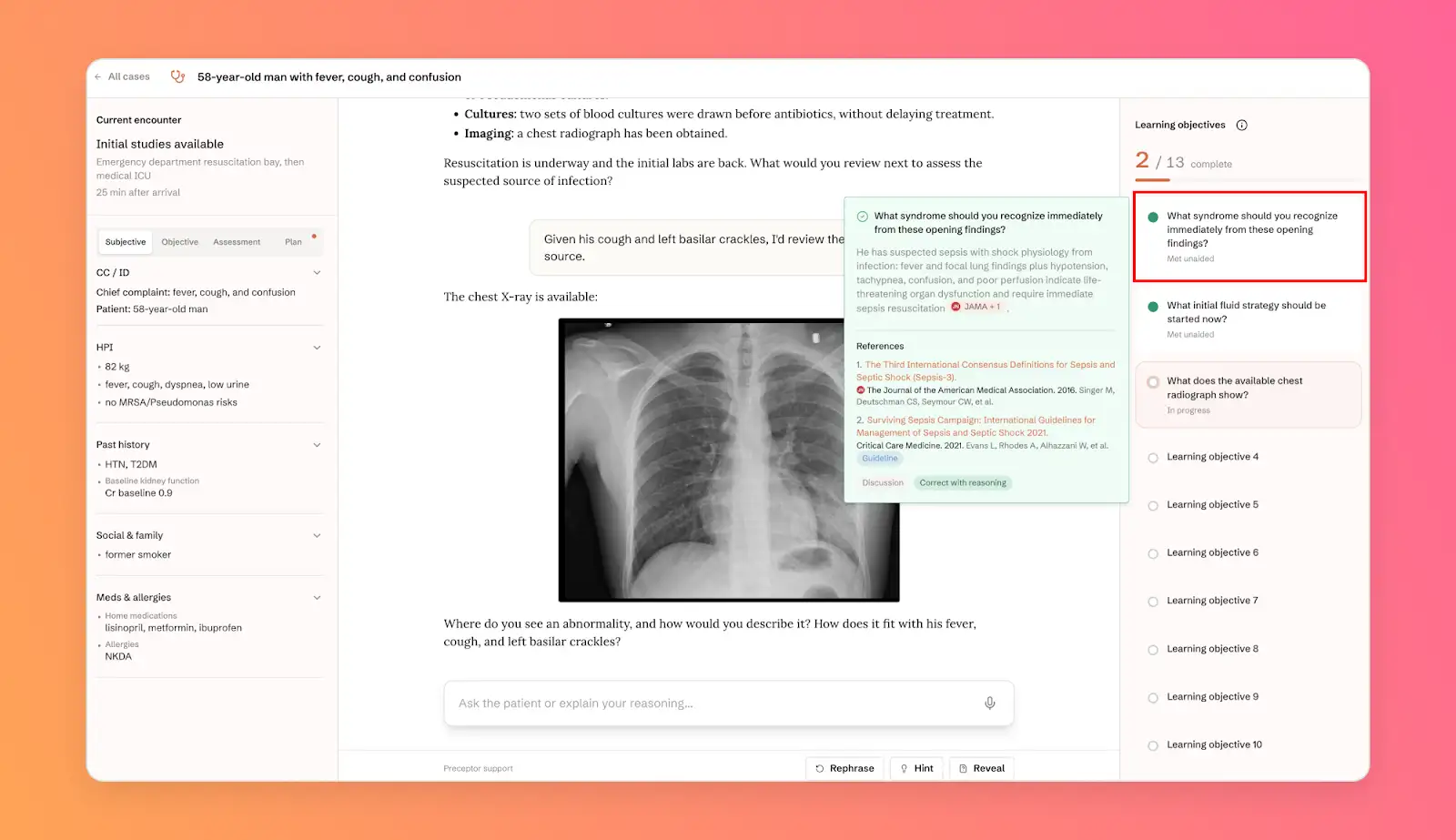
Your cases lists cases in progress, with the checkpoint you reached, and completed cases. Click Continue to pick up where you left off.
Flashcards
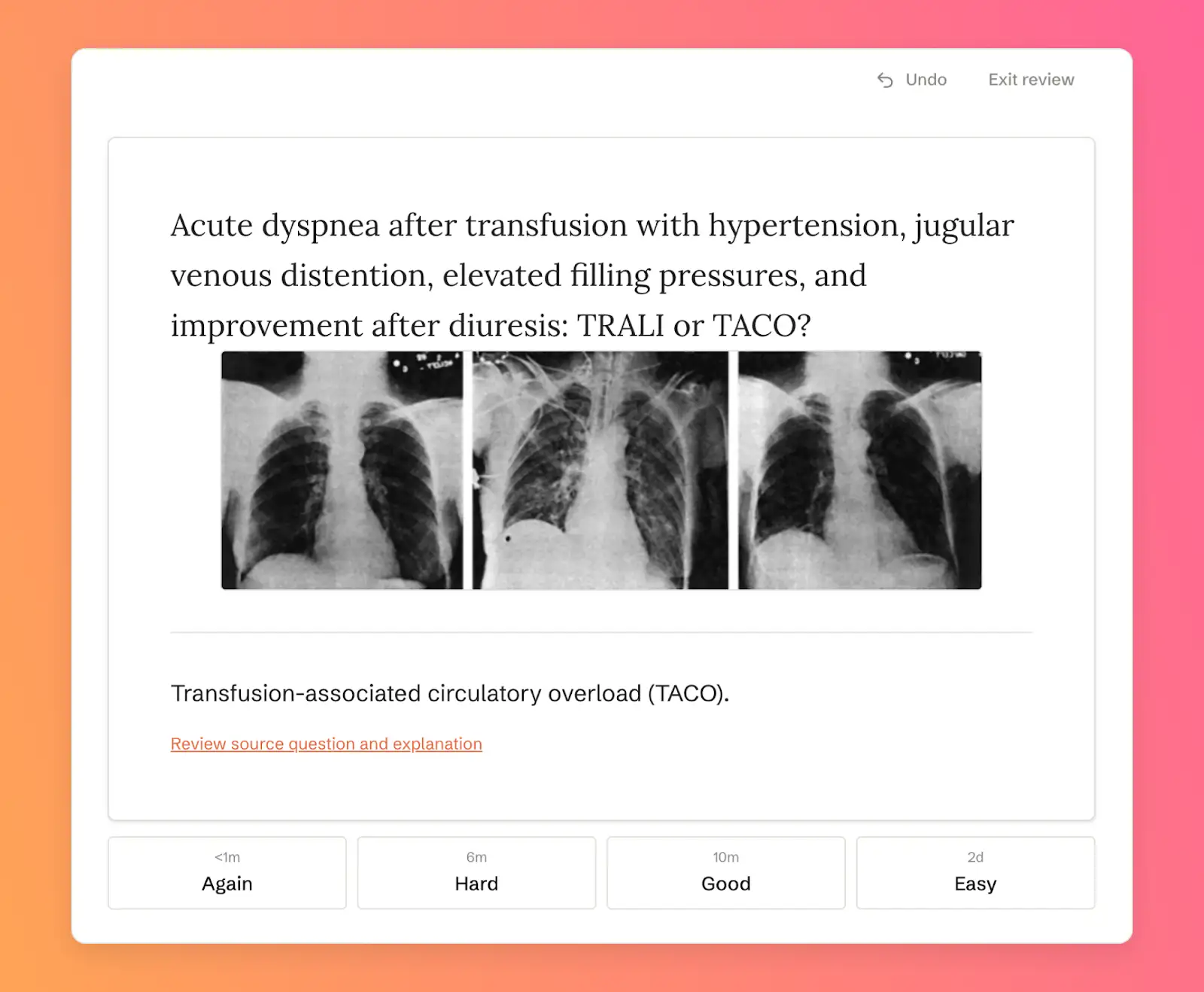
Generate flashcards and review them at spaced intervals to strengthen long-term retention.
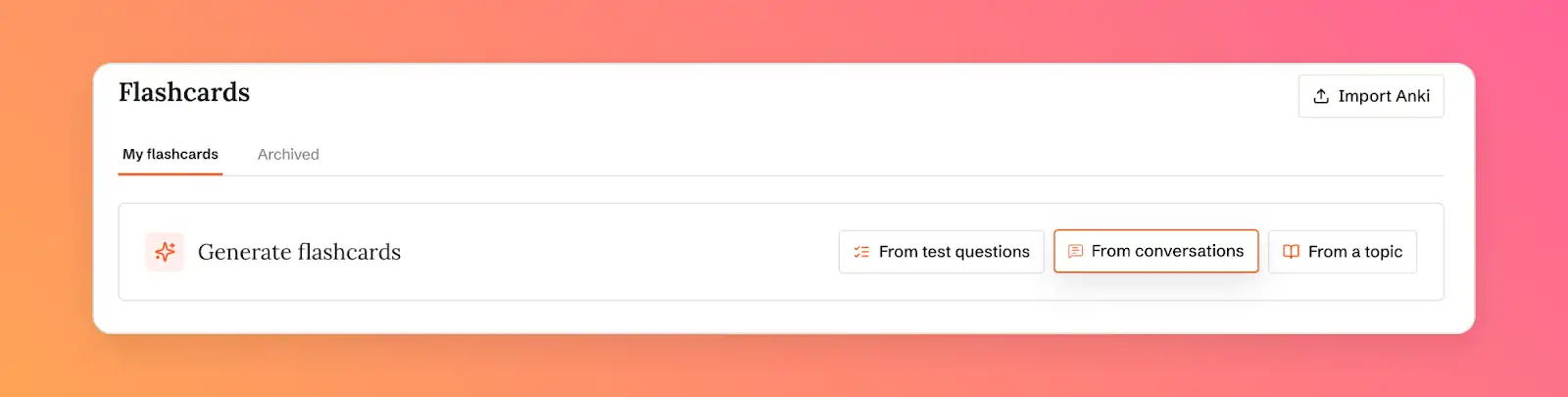
To generate flashcards, choose:
- From your questions to choose up to 30 questions from your recent OpenEvidence conversation history
- From test questions to turn missed or completed Test Prep questions into focused review
- From a topic to describe what you want to remember in your own words
Cards are editable. You can also import existing decks and archive ones you don’t need.
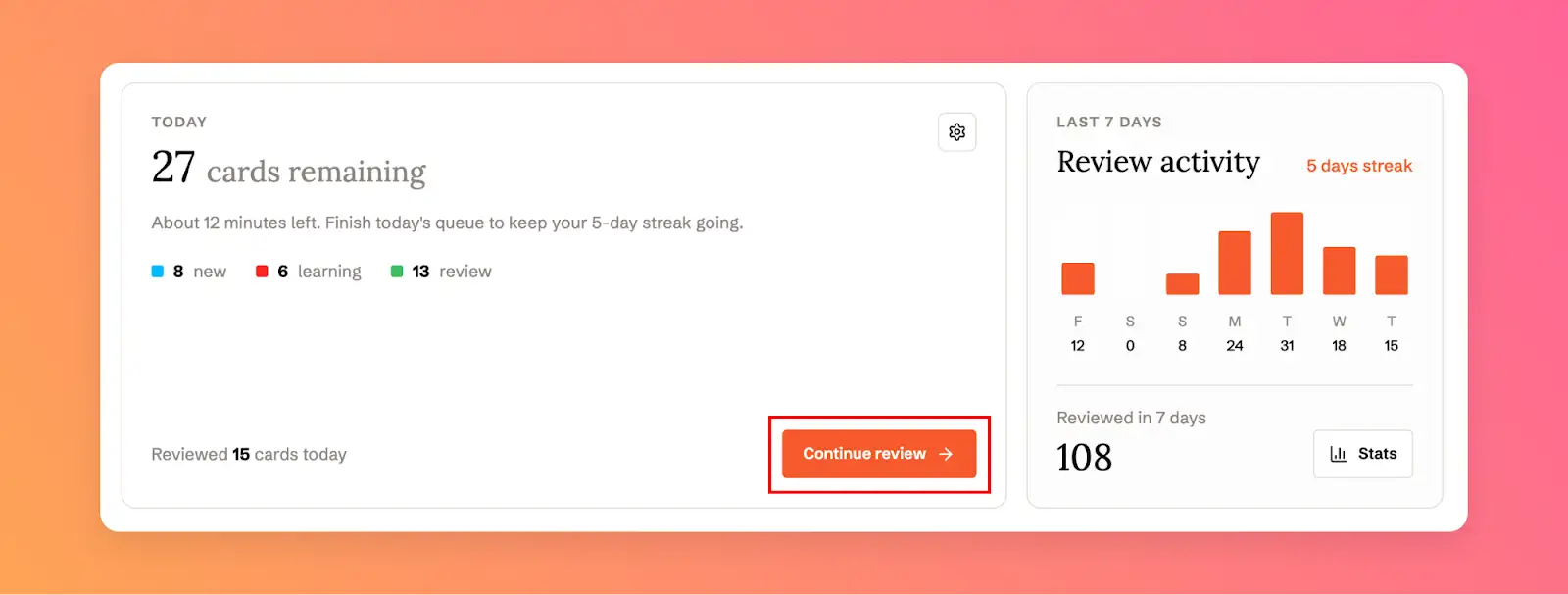
Today shows the cards due for review, split into new, learning, and review. Click Start review to begin. Review activity shows your last 7 days and your streak, and Stats shows your history.
Join us in defining the future of medical education
We’re working with academic medical centers, including Johns Hopkins University School of Medicine and the Perelman School of Medicine at the University of Pennsylvania, to shape Learn’s next tools. Educators and institutions interested in working with us or sharing feedback can fill out this form.
Note: If a case, question, or card is wrong, too easy, or unclear, use the upvote or downvote buttons in the app.