User Guide Contents
Patient Take-Homes
Optionally turn OpenEvidence answers into educational materials for your patients.
Overview
You can use Patient Take-Homes to share OpenEvidence answers directly with patients.
As the clinician, you are fully in control of the information your patient receives. From a conversation on OpenEvidence, you can:
- Summarize and simplify the evidence to the reading level you choose, and steer the content based on your instructions.
- Share your conversation verbatim for more medically inclined patients.
Your patient receives a secure link by email to OpenEvidence TakeHome, a companion platform where they can view their patient take-home and share it with family members or caregivers.
Note: On OpenEvidence TakeHome, patients can only see the content you curate for them; they cannot ask their own questions.
Usage
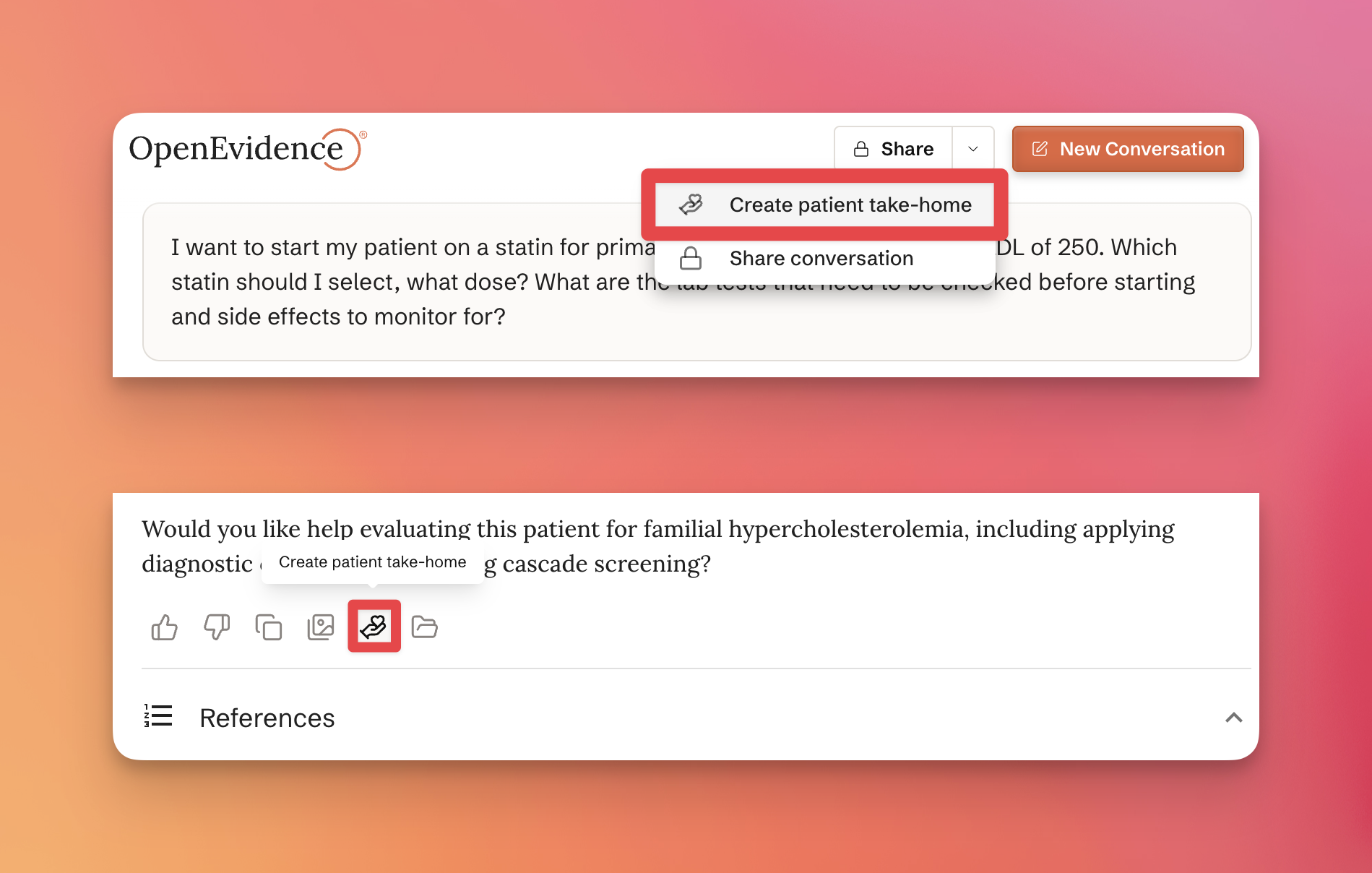
Click the dropdown next to Share at the top of any answer and choose Create patient take-home, or use the Create patient take-home button below an individual answer.
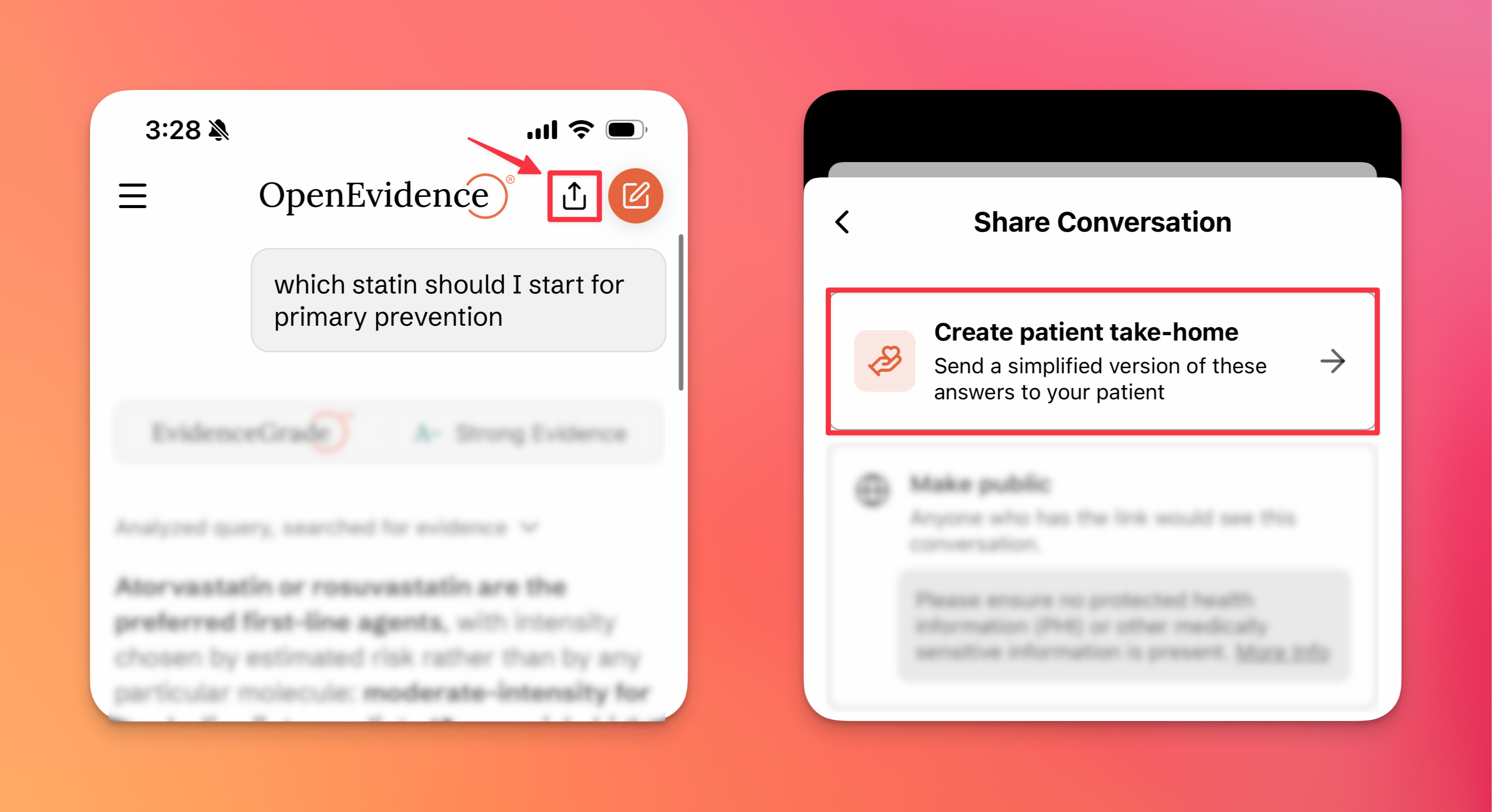
In the OpenEvidence mobile app, tap the share icon at the top of a conversation and choose Create patient take-home from the Share Conversation menu.
Choose any part of the conversation as the source of the patient take-home:
- To summarize the conversation, select Summarize and your desired reading level. You can also add extra instructions to steer the summary.
- To share the conversation verbatim, select Share as-is and the specific questions you'd like to include in the patient take-home.
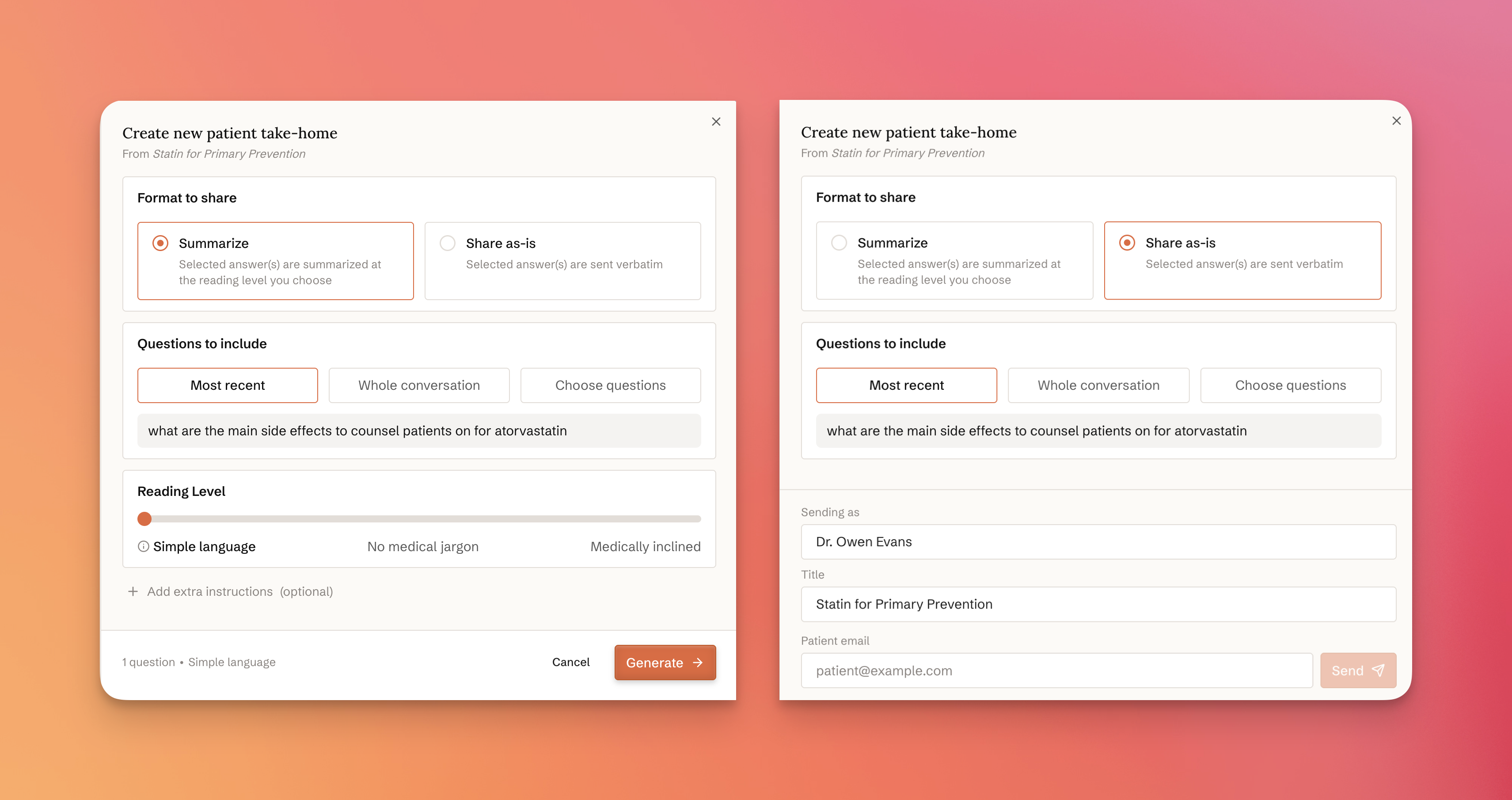
To send the patient take-home, enter your patient's email address and the name you'd like to send it as.

Managing your patient take-homes
You can view and manage the patient take-homes you've sent from a conversation on the Your patient take-homes tab.

What patients see
Your patient receives an email from an OpenEvidence email address with a secure link to their patient take-home.

The link takes them to OpenEvidence TakeHome, where they can view and save their patient take-home.

Conversations shared verbatim appear just as they do on OpenEvidence.

On OpenEvidence TakeHome, patients can save their patient take-homes to their profile and share them with family members or caregivers.
